Visual Regression Testing Utilizing Apify and AI Vision Model
Conducts visual regression testing through Apify and an AI vision model to identify changes in the user interface.
How it works
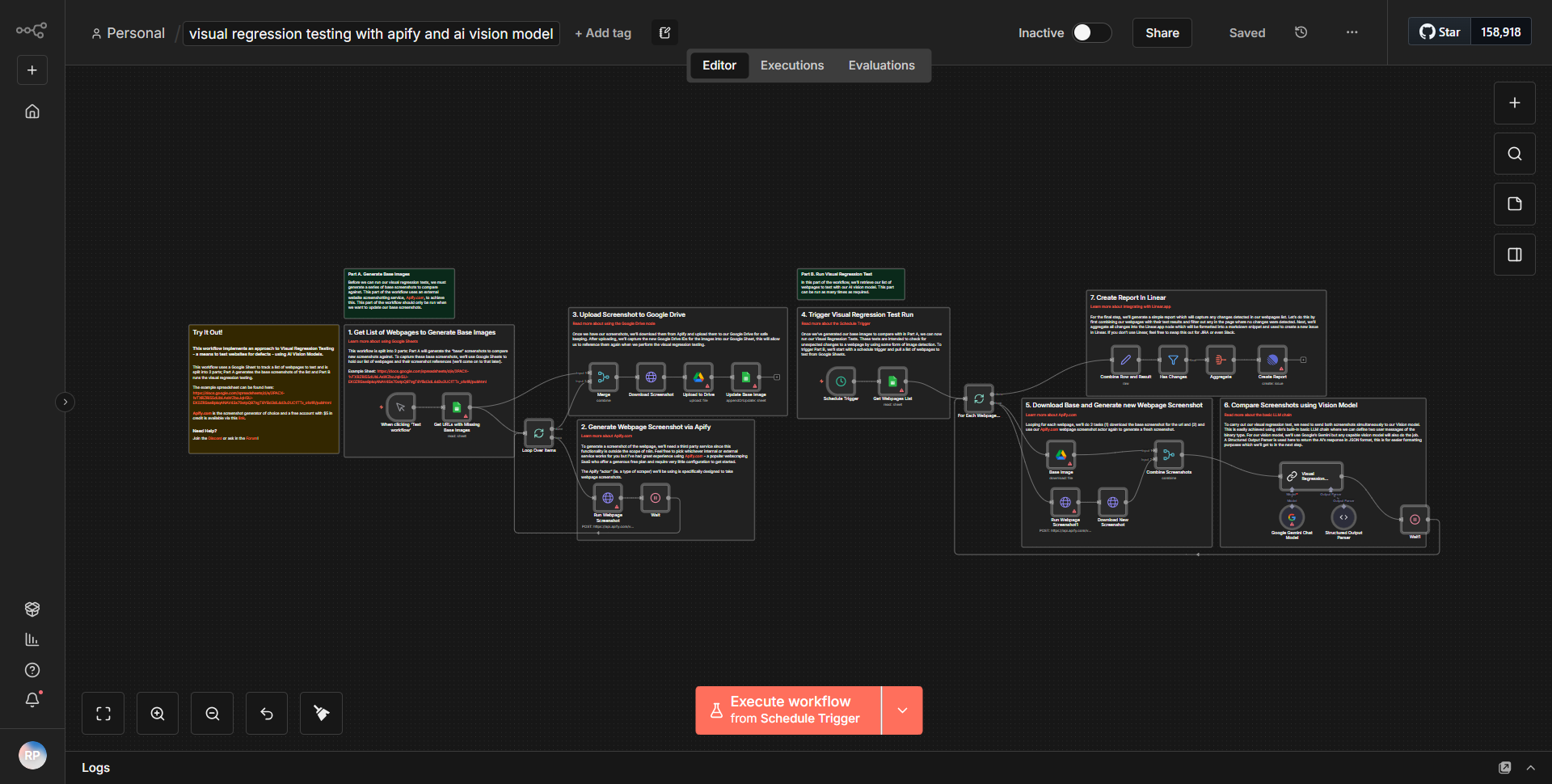
The workflow titled "Visual Regression Testing Utilizing Apify and AI Vision Model" is designed to perform visual regression testing on user interfaces by leveraging Apify and an AI vision model. The workflow consists of several interconnected nodes that facilitate the process of capturing screenshots, analyzing visual differences, and reporting the results.
1. Start Node:
The workflow begins with a trigger node that initiates the process, typically set to run on a schedule or manually.
2. Apify Node:
The first operational node is the Apify node, which is configured to run a web scraping task. This node captures screenshots of the specified web pages. The configuration includes the URL of the page to be tested and any necessary parameters for the scraping task.
3. Image Processing Node:
After capturing the screenshots, the workflow proceeds to an image processing node. This node utilizes an AI vision model to analyze the screenshots. It compares the newly captured images against baseline images to detect any visual discrepancies.
4. Comparison Logic:
The results from the AI vision model are processed to determine if any significant changes have occurred. This involves setting thresholds for acceptable visual differences, which are defined in the node's configuration.
5. Notification Node:
If differences are detected that exceed the defined thresholds, the workflow triggers a notification node. This node can send alerts via email, Slack, or other communication channels to inform the relevant stakeholders about the visual changes.
6. End Node:
Finally, the workflow concludes with an end node, which signifies the completion of the visual regression testing process.
Throughout the workflow, data flows seamlessly from one node to the next, ensuring that each step is executed in the correct order, with outputs from one node serving as inputs for the subsequent nodes.
Key Features
- Automated Visual Testing:
The workflow automates the process of visual regression testing, reducing manual effort and increasing efficiency.
- Integration with Apify:
By utilizing Apify, the workflow can easily scrape web pages and capture screenshots, making it adaptable to various web applications.
- AI-Powered Analysis:
The incorporation of an AI vision model allows for sophisticated image comparison, enabling the detection of subtle visual changes that may affect user experience.
- Customizable Thresholds:
Users can define their own thresholds for acceptable visual differences, allowing for tailored testing based on specific project requirements.
- Real-Time Notifications:
The workflow includes a notification mechanism that alerts team members immediately when significant visual changes are detected, facilitating prompt action.
Tools Integration
- Apify:
Used for web scraping and capturing screenshots of web pages.
- AI Vision Model:
Employed for analyzing images and detecting visual differences.
- Notification Services:
Can integrate with email, Slack, or other messaging platforms for alerts.
API Keys Required
- Apify API Key:
Required to authenticate and access the Apify services for web scraping tasks.
- AI Vision Model API Key:
If the AI vision model is hosted as a service, an API key may be necessary for authentication.
• No additional API keys or credentials are specified in the workflow, but the above keys are essential for proper functionality.