Customer Analysis Utilizing Qdrant, Python, and Data Extractor
Gathers customer insights through the use of Qdrant, Python, and a data extraction module.
How it works
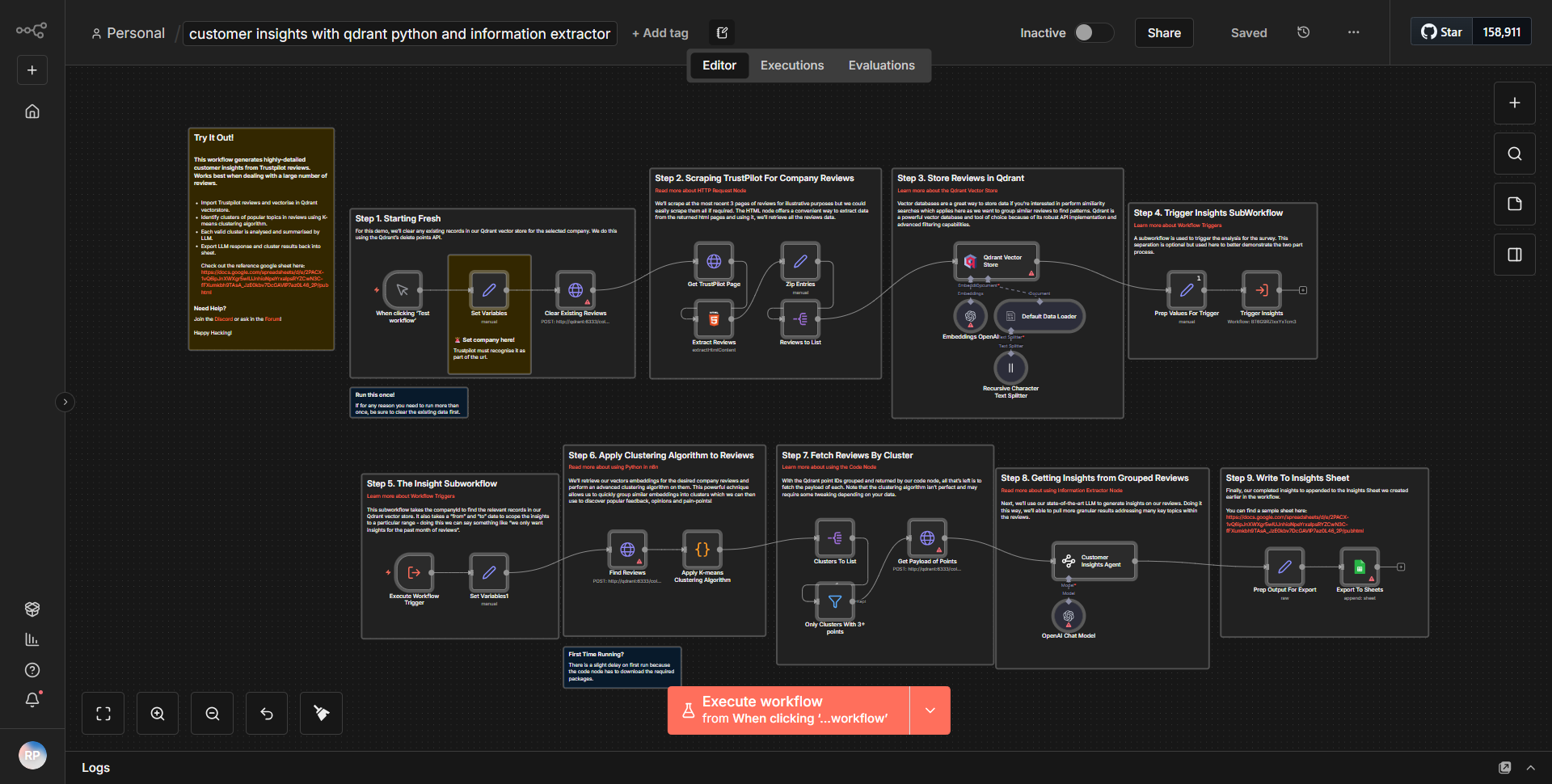
The workflow titled "Customer Analysis Utilizing Qdrant, Python, and Data Extractor" is designed to gather insights about customers by leveraging the capabilities of Qdrant, a vector database, alongside Python for data processing and a data extraction module. The workflow begins with a trigger node that initiates the process, likely based on a specific event or schedule.
1. Data Extraction:
The workflow starts with a data extraction node that retrieves customer data from a specified source. This could involve connecting to a database or an API to pull relevant customer information.
2. Data Processing with Python:
Once the data is extracted, it is passed to a Python node. Here, custom Python scripts are executed to process the data further. This may include data cleaning, transformation, or any analytical computations necessary to prepare the data for analysis.
3. Integration with Qdrant:
After processing, the workflow sends the prepared data to a Qdrant node. Qdrant is utilized to store and manage the vector representations of the customer data, enabling efficient similarity searches and retrieval of insights based on vector embeddings.
4. Insight Generation:
The workflow may include additional nodes that query Qdrant to generate insights based on the stored data. This could involve running similarity searches to identify patterns or trends among customers.
5. Output and Reporting:
Finally, the workflow concludes with an output node that formats the insights into a report or sends them to another service for further action, such as notifying stakeholders or storing the results in a database.
Throughout this process, the nodes are interconnected to ensure a seamless flow of data from extraction to insight generation, allowing for a comprehensive analysis of customer data.
Key Features
- Data Extraction:
The workflow can pull customer data from various sources, ensuring that the analysis is based on the most relevant and up-to-date information.
- Custom Python Processing:
The integration of a Python node allows for advanced data manipulation and analysis, enabling users to implement custom logic tailored to their specific needs.
- Vector Database Utilization:
By using Qdrant, the workflow benefits from efficient storage and retrieval of high-dimensional data, facilitating quick insights through similarity searches.
- Insight Generation:
The ability to generate actionable insights from customer data helps businesses understand customer behavior and preferences, driving better decision-making.
- Automated Reporting:
The workflow can automatically format and deliver insights, reducing manual effort and ensuring timely access to critical information.
Tools Integration
- Data Extractor Node:
This node is responsible for retrieving customer data from various sources.
- Python Node:
Used for executing custom scripts that process the extracted data.
- Qdrant Node:
Integrates with the Qdrant vector database for storing and querying customer data.
- Output Node:
Formats and delivers the insights generated from the analysis.
API Keys Required
The workflow does not specify any API keys or authentication credentials required for operation. However, if the data extraction involves accessing external APIs or databases, appropriate credentials may be necessary, which should be configured in the respective nodes.