Examine charts from tradingview.com using a Chrome extension, N8N, and OpenAI.
Evaluates TradingView graphs through a Chrome extension, n8n, and OpenAI to generate automated insights.
How it works
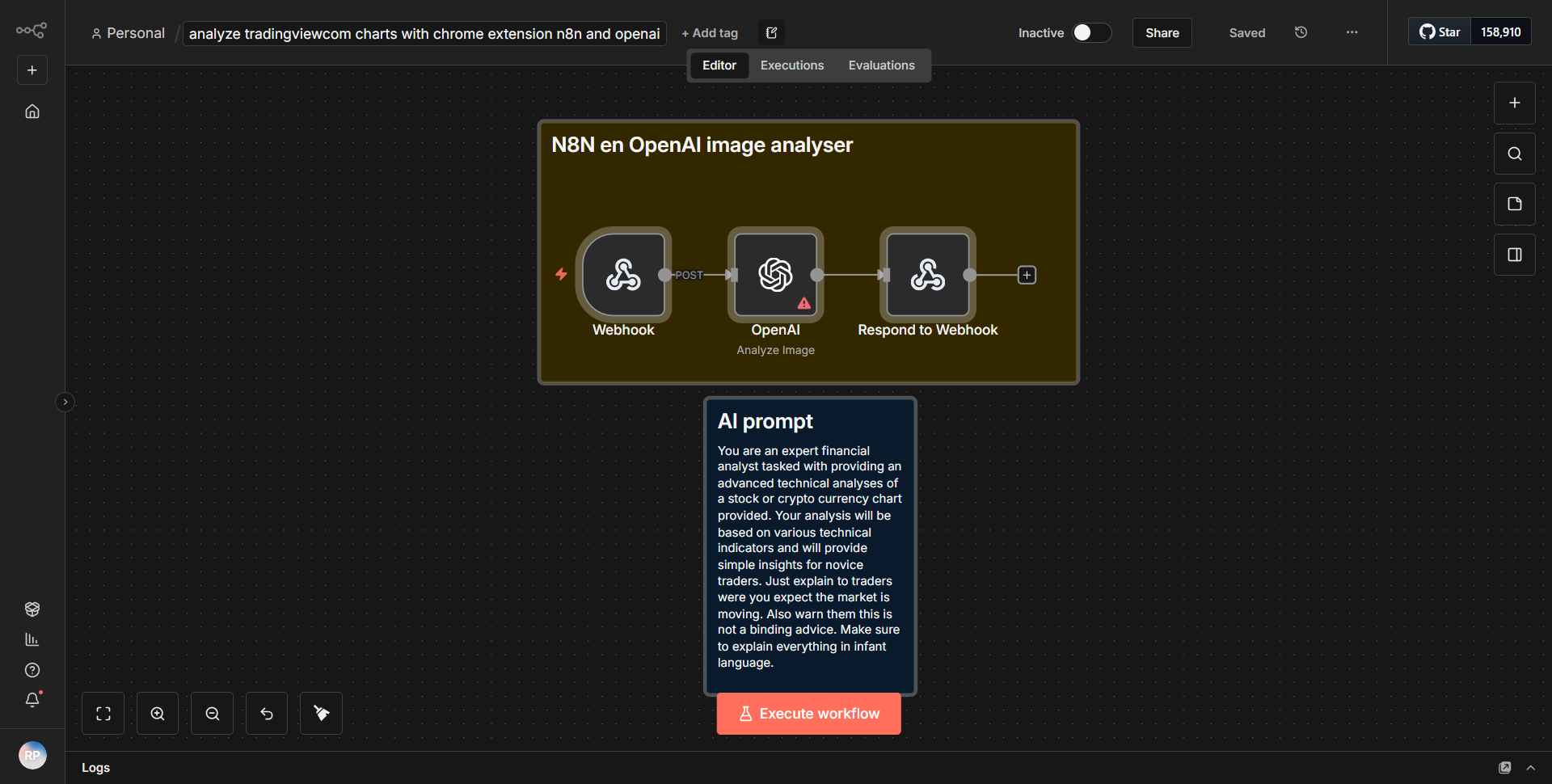
The workflow begins with a trigger node that activates when a specific event occurs, such as a user action in the Chrome extension. This event is captured and sent to the n8n workflow for further processing. The first node in the workflow is the "HTTP Request" node, which is configured to receive data from the Chrome extension. This data typically includes information about the TradingView charts that need to be analyzed.
Once the data is received, the workflow proceeds to the "Function" node, where custom JavaScript code is executed to process the incoming data. This node is essential for transforming the data into a format suitable for analysis. The processed data is then passed to the "OpenAI" node, which utilizes the OpenAI API to generate insights based on the TradingView charts. The OpenAI node sends a request containing the relevant chart data and receives a response with the generated insights.
After receiving the insights, the workflow may include a "Set" node to format the output or prepare it for further actions, such as sending an email or posting to a messaging platform. Finally, the workflow concludes with an "HTTP Response" node, which sends the generated insights back to the Chrome extension or any other designated endpoint, completing the cycle.
Key Features
1. Automated Chart Analysis:
The workflow automates the process of analyzing TradingView charts, saving users time and effort in manual evaluations.
2. Integration with OpenAI:
By leveraging OpenAI's capabilities, the workflow generates intelligent insights and recommendations based on the chart data, enhancing decision-making.
3. Custom Data Processing:
The inclusion of a Function node allows for tailored data manipulation, ensuring that the insights generated are relevant and precise.
4. Real-time Feedback:
The workflow is designed to provide immediate feedback to users through the Chrome extension, facilitating a seamless user experience.
5. Versatile Output Options:
The ability to format and send insights to various endpoints allows for flexible integration into existing workflows or systems.
Tools Integration
1. Chrome Extension:
Serves as the user interface to capture events and send data to the n8n workflow.
2. n8n:
The automation platform that orchestrates the workflow, handling data processing and integration with external services.
3. OpenAI:
Utilized through the OpenAI node to generate insights based on the TradingView chart data.
4. HTTP Request Node:
Receives data from the Chrome extension.
5. Function Node:
Processes and transforms the incoming data for analysis.
6. Set Node:
Formats the output before sending it to the final destination.
7. HTTP Response Node:
Sends the generated insights back to the Chrome extension or other endpoints.
API Keys Required
To successfully execute this workflow, an API key for OpenAI is required. This key must be configured in the OpenAI node to authenticate requests and access the API's capabilities. No additional API keys or credentials are necessary for the other nodes involved in the workflow.