![Vector Database as an Analytical Tool for Big Data in AI Agents [2/2 KNN]](https://res.cloudinary.com/dwid2xvok/image/upload/v1764212699/n8n/screenshots/vector-database-as-a-big-data-analysis-tool-for-ai-agents-22-knn.png)
Vector Database as an Analytical Tool for Big Data in AI Agents [2/2 KNN]
Maintains the utilization of a vector database for large-scale data analysis, emphasizing KNN classification for artificial intelligence agents.
How it works
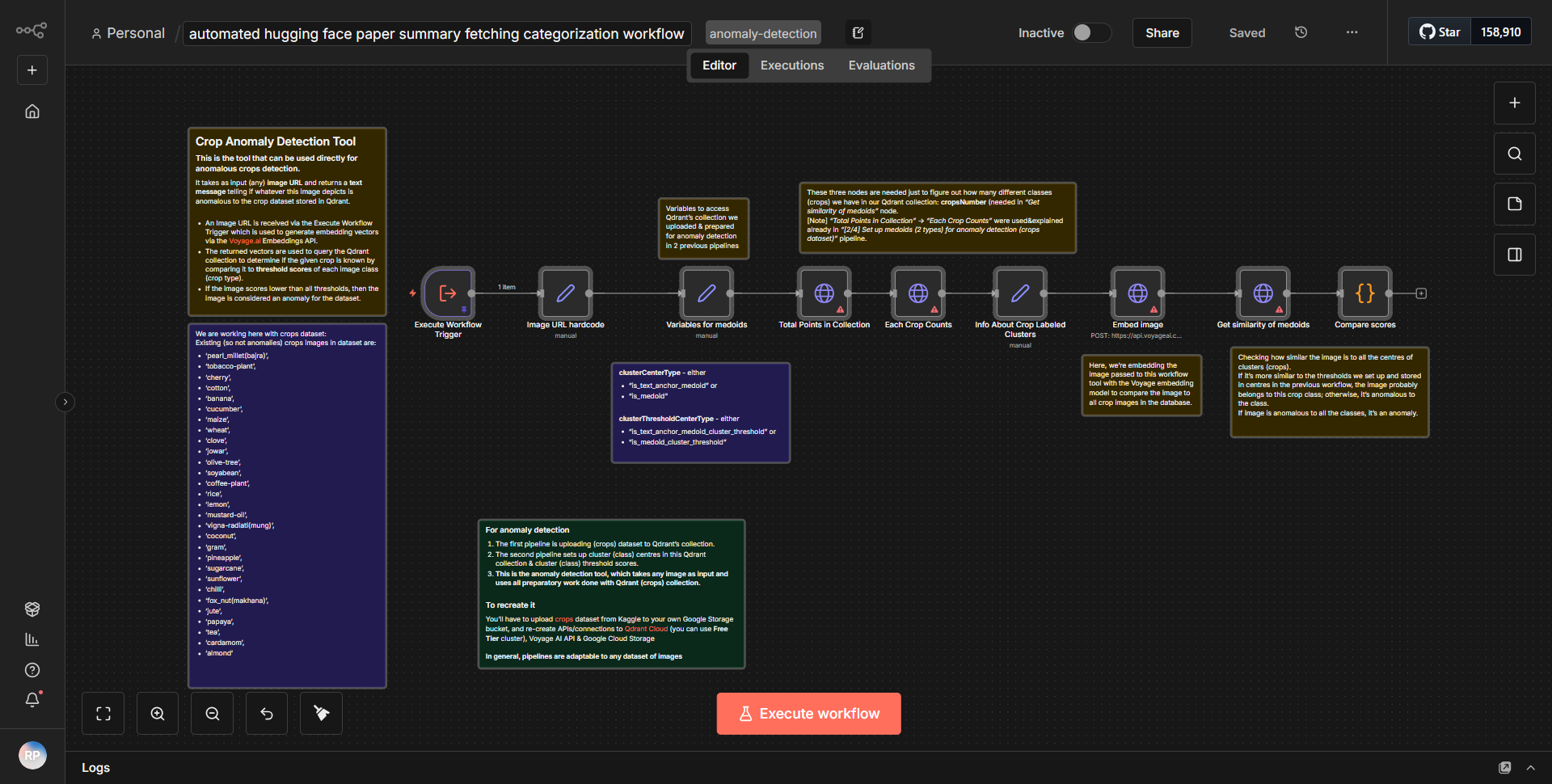
The workflow titled "Vector Database as an Analytical Tool for Big Data in AI Agents [2/2 KNN]" is designed to facilitate large-scale data analysis using a vector database, focusing on KNN (K-Nearest Neighbors) classification for artificial intelligence agents. The workflow operates through a series of interconnected nodes that process data in a sequential manner.
1. Trigger Node:
The workflow begins with a trigger node that initiates the process. This node is responsible for receiving input data, which could be in the form of new records or updates to existing records in the vector database.
2. Data Retrieval:
Following the trigger, the workflow retrieves data from the vector database. This is done using a node specifically designed for querying the database, which extracts relevant data points necessary for the KNN classification.
3. Data Processing:
Once the data is retrieved, it undergoes processing. This includes normalization or transformation steps to ensure that the data is in the correct format for analysis. The workflow may utilize nodes that apply mathematical functions or algorithms to prepare the data.
4. KNN Classification:
The core of the workflow is the KNN classification node. This node takes the processed data and applies the KNN algorithm to classify the data points based on their proximity to other points in the vector space. The classification results are generated and stored for further analysis.
5. Output Generation:
After classification, the workflow generates output results. This could involve formatting the results into a readable format or pushing them to another service for visualization or reporting. The output node ensures that the results are accessible for downstream applications or users.
6. Error Handling:
Throughout the workflow, there are mechanisms in place for error handling. If any step fails, the workflow can log the error and potentially trigger alternative actions to ensure robustness.
Key Features
- Scalability:
The workflow is designed to handle large datasets efficiently, making it suitable for big data applications in AI.
- KNN Classification:
By implementing the KNN algorithm, the workflow provides a powerful method for classifying data based on similarity, which is essential for many AI applications.
- Integration with Vector Databases:
The workflow leverages vector databases, which are optimized for storing and querying high-dimensional data, enhancing performance and speed.
- Modular Design:
The use of distinct nodes for each operation allows for easy modifications and scalability, enabling users to adapt the workflow to their specific needs.
- Error Management:
Built-in error handling ensures that the workflow can manage unexpected issues gracefully, maintaining data integrity and reliability.
Tools Integration
The workflow integrates several tools and services through specific n8n nodes:
- Trigger Node:
Initiates the workflow based on incoming data.
- Database Node:
Used for querying the vector database to retrieve necessary data.
- Function Node:
Processes and transforms data as needed before classification.
- KNN Node:
Implements the K-Nearest Neighbors algorithm for classification tasks.
- Output Node:
Formats and outputs the classification results for further use.
API Keys Required
The workflow does not explicitly mention any API keys or authentication credentials required for its operation. It appears to function solely based on the internal connections and configurations of the n8n nodes without the need for external API integrations.