Integration of Notion with Pinecone Vector Store
Connects Notion to Pinecone, enabling the transformation of Notion pages into vector embeddings, which are then stored in Pinecone for enhanced search and retrieval capabilities.
How it works
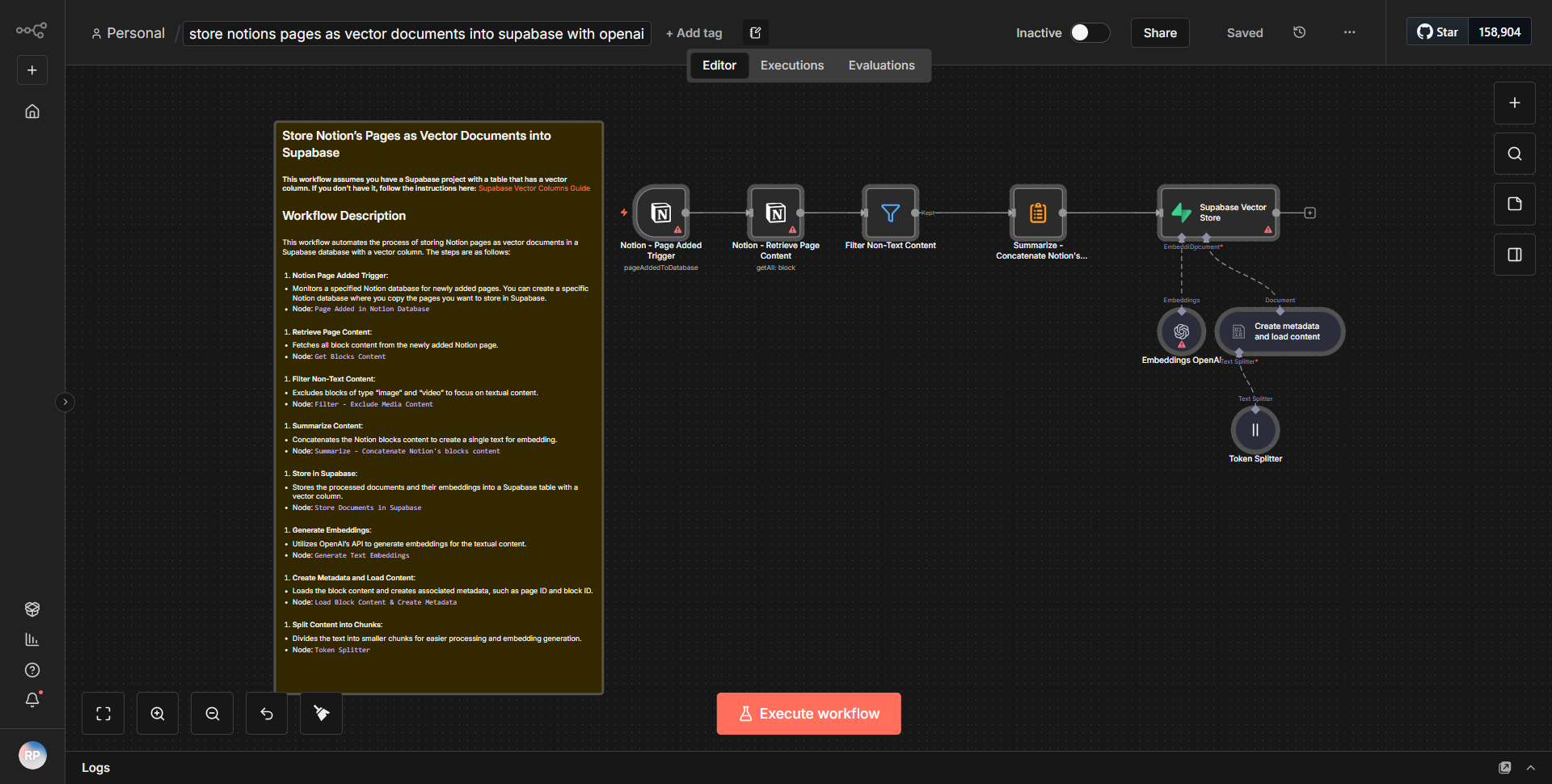
The workflow begins with a trigger that monitors changes in Notion pages. When a new page is created or an existing page is updated, the workflow is activated. The first node in the workflow is the Notion node, which retrieves the content of the specified page. This content is then processed to extract relevant text and metadata.
Next, the extracted text is sent to a vectorization service, which transforms the textual data into vector embeddings. This is accomplished using a dedicated node configured for vectorization, which applies a machine learning model to convert the text into a numerical format suitable for storage and retrieval.
Once the vector embeddings are generated, the workflow proceeds to the Pinecone node. This node is responsible for storing the generated embeddings in the Pinecone vector database. The embeddings are stored along with any associated metadata, such as the original Notion page ID or title, which facilitates efficient search and retrieval later on.
The workflow concludes with a confirmation step that ensures the embeddings have been successfully stored in Pinecone. This step may include logging or sending notifications to inform the user of the successful operation.
Key Features
1. Seamless Integration:
This workflow effectively connects Notion with Pinecone, allowing users to leverage the strengths of both platforms for enhanced data management.
2. Automatic Vectorization:
The workflow automatically converts Notion page content into vector embeddings, eliminating the need for manual processing and ensuring consistency.
3. Enhanced Search Capabilities:
By storing vector embeddings in Pinecone, users can perform advanced searches and retrievals based on semantic similarity, improving the efficiency of information retrieval.
4. Real-time Updates:
The workflow is triggered in real-time upon updates to Notion pages, ensuring that the vector store is always up-to-date with the latest information.
5. Metadata Preservation:
The workflow retains important metadata from Notion pages, allowing for context-rich searches and retrievals.
Tools Integration
- Notion:
Utilized for retrieving page content and metadata through the Notion node.
- Pinecone:
Used for storing vector embeddings in a scalable vector database via the Pinecone node.
- Vectorization Service:
A dedicated node for transforming text into vector embeddings, although the specific service is not detailed in the JSON.
API Keys Required
- Notion API Key:
Required for authenticating and accessing Notion pages.
- Pinecone API Key:
Necessary for connecting to the Pinecone vector database and performing storage operations.
• No additional API keys or credentials are mentioned in the JSON, indicating that the workflow primarily relies on these two services for its operations.