Create and Release Blog Articles Using Google Sheets
Facilitates the creation of blog articles in Google Sheets and their automatic publication to a content management system, streamlining the process of content generation and distribution.
How it works
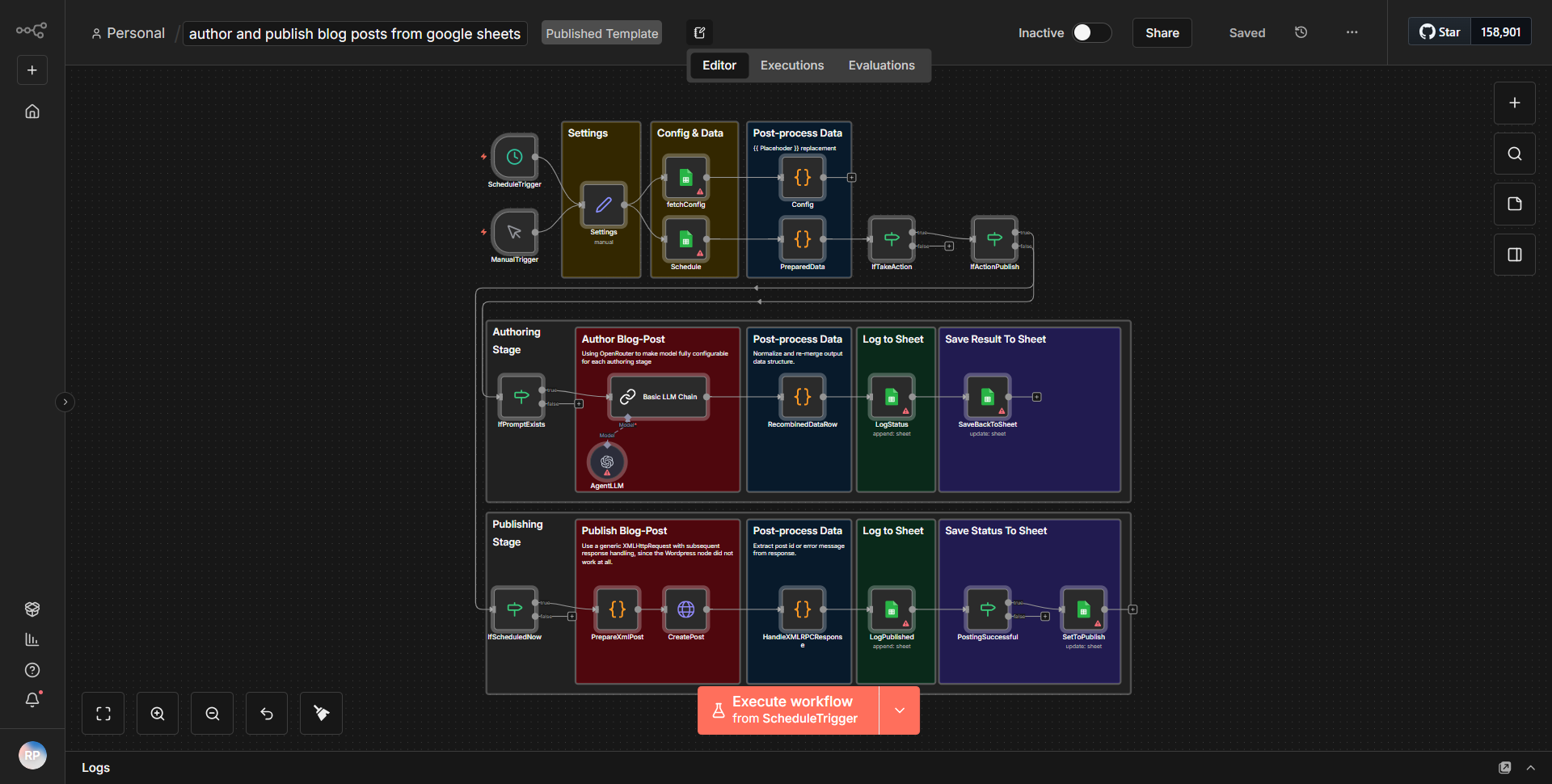
The workflow titled "Create and Release Blog Articles Using Google Sheets" is designed to automate the process of creating blog articles in Google Sheets and publishing them to a content management system (CMS). The workflow consists of several interconnected nodes that facilitate data retrieval, processing, and publication.
1. Google Sheets Node:
The workflow begins with a Google Sheets node that is configured to read data from a specified spreadsheet. This node retrieves rows containing blog article details such as title, content, and publication status.
2. IF Node:
After fetching the data, an IF node is used to evaluate whether the blog article is marked for publication. This conditional check ensures that only articles that are ready to be published proceed to the next steps.
3. Set Node:
If the article is approved for publication, a Set node is utilized to format the data appropriately for the CMS. This node allows for the manipulation of the article's title and content, ensuring they meet the required structure for the publishing platform.
4. CMS Node:
The workflow then connects to a CMS node, which is responsible for creating a new blog post using the formatted data from the Set node. This node handles the actual publication process, sending the article to the CMS for live posting.
5. Google Sheets Update Node:
Finally, once the article has been successfully published, another Google Sheets node updates the original spreadsheet to reflect the publication status. This ensures that the content creator has a clear record of which articles have been published.
The entire process is streamlined to minimize manual intervention, allowing for efficient content generation and distribution.
Key Features
- Automated Data Retrieval:
The workflow automatically pulls data from Google Sheets, eliminating the need for manual data entry.
- Conditional Publishing:
The use of an IF node allows for selective publishing based on predefined criteria, ensuring that only approved articles are published.
- Data Formatting:
The Set node provides flexibility in formatting the article data, allowing for customization to meet CMS requirements.
- Seamless CMS Integration:
The workflow integrates directly with a CMS, facilitating the quick and efficient publication of blog articles.
- Status Tracking:
The workflow updates the Google Sheets document to reflect the publication status, providing a clear overview of published content.
Tools Integration
- Google Sheets:
Used for storing and retrieving blog article data.
- CMS Node:
Represents the content management system where the articles are published.
- n8n Nodes:
• Google Sheets node (for reading and updating spreadsheet data)
• IF node (for conditional logic)
• Set node (for data manipulation and formatting)
API Keys Required
• Google Sheets API key: Required for accessing and modifying the spreadsheet data.
• CMS API key: Required for authenticating and publishing articles to the content management system.
No additional API keys or credentials are necessary beyond those specified for Google Sheets and the CMS.