Text automation through Apple Shortcuts
Enables text-driven automations using Apple Shortcuts.
How it works
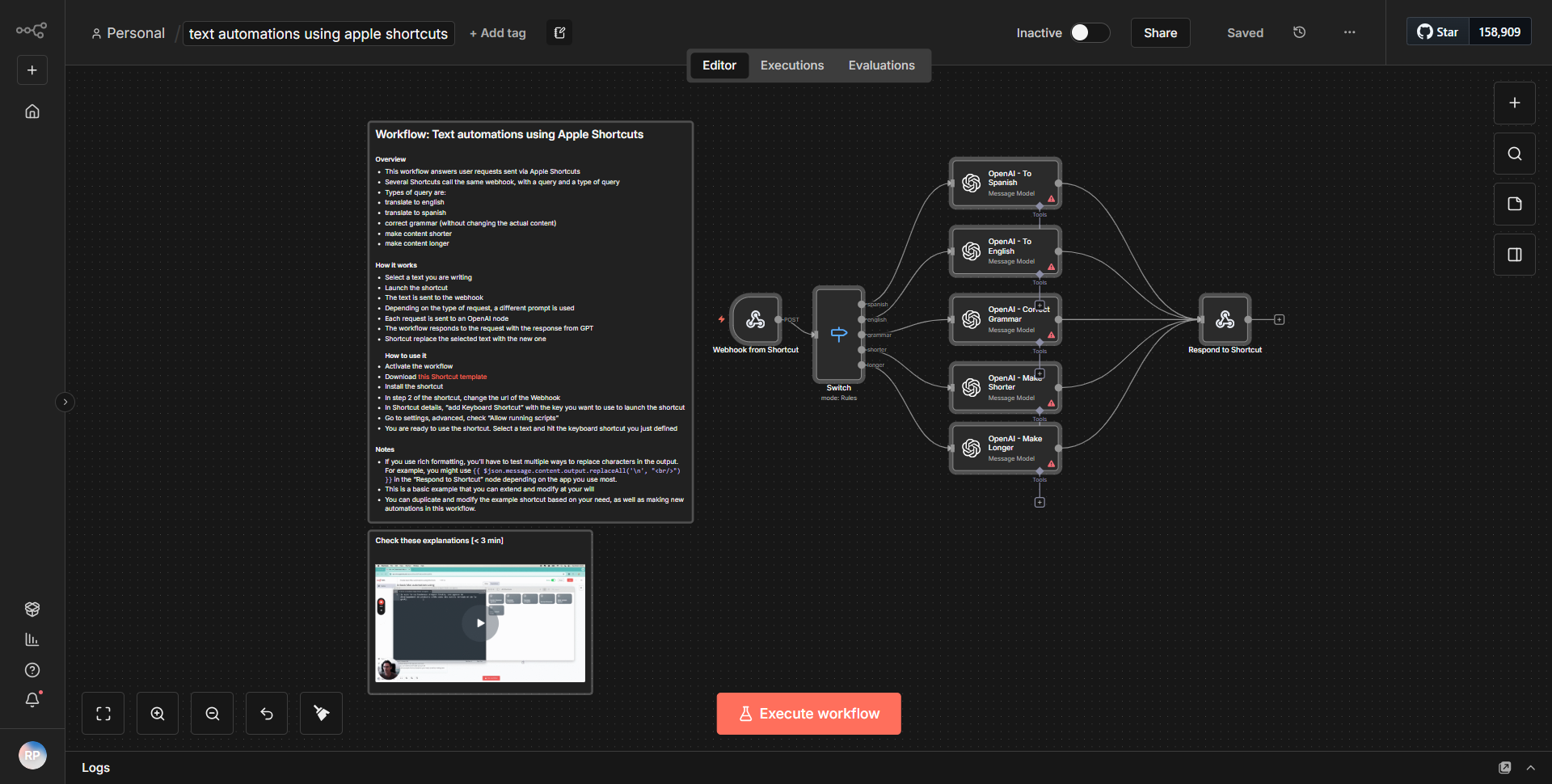
The workflow titled "Text automation through Apple Shortcuts" is designed to facilitate text-driven automations leveraging the capabilities of Apple Shortcuts. The workflow begins with a trigger node that listens for incoming text data. This data is then processed through a series of nodes that manipulate and format the text as needed.
1. Trigger Node:
The workflow initiates with a trigger node that captures incoming text input from Apple Shortcuts. This node is essential as it serves as the entry point for the automation.
2. Function Node:
After the trigger, the workflow utilizes a Function node to process the incoming text. This node allows for custom JavaScript code execution, enabling the transformation of the text based on specific logic defined by the user.
3. Set Node:
Following the Function node, a Set node is employed to define the output structure. This node organizes the processed data into a format that can be easily utilized by subsequent nodes or sent back to Apple Shortcuts.
4. Response Node:
Finally, the workflow concludes with a Response node that sends the processed text back to Apple Shortcuts. This node ensures that the automation completes by delivering the final output to the user or the calling application.
The connections between these nodes create a seamless flow of data, allowing for efficient processing and manipulation of text inputs.
Key Features
- Text Processing:
The workflow is capable of receiving and processing text inputs, allowing users to automate tasks that require text manipulation.
- Custom Logic Implementation:
Through the use of the Function node, users can implement custom JavaScript logic to handle text in a way that meets their specific needs.
- Structured Output:
The Set node enables the organization of output data, making it easier to work with and ensuring compatibility with Apple Shortcuts.
- Integration with Apple Shortcuts:
The workflow is specifically designed to interface with Apple Shortcuts, making it a valuable tool for users looking to enhance their automation capabilities on Apple devices.
Tools Integration
The workflow integrates with the following tools and services:
- n8n:
The primary platform used for building and executing the workflow.
- Apple Shortcuts:
The automation tool that triggers the workflow and receives the processed output.
- Function Node:
Used for executing custom JavaScript code to manipulate text.
- Set Node:
Utilized for structuring the output data.
- Response Node:
Sends the final processed text back to Apple Shortcuts.
API Keys Required
No API keys, credentials, or authentication configurations are required for this workflow to function. It operates solely within the n8n environment and interacts with Apple Shortcuts without the need for external API access.