Monthly Archiving of Spotify Tracks
Organizes and categorizes monthly Spotify songs into playlists.
How it works
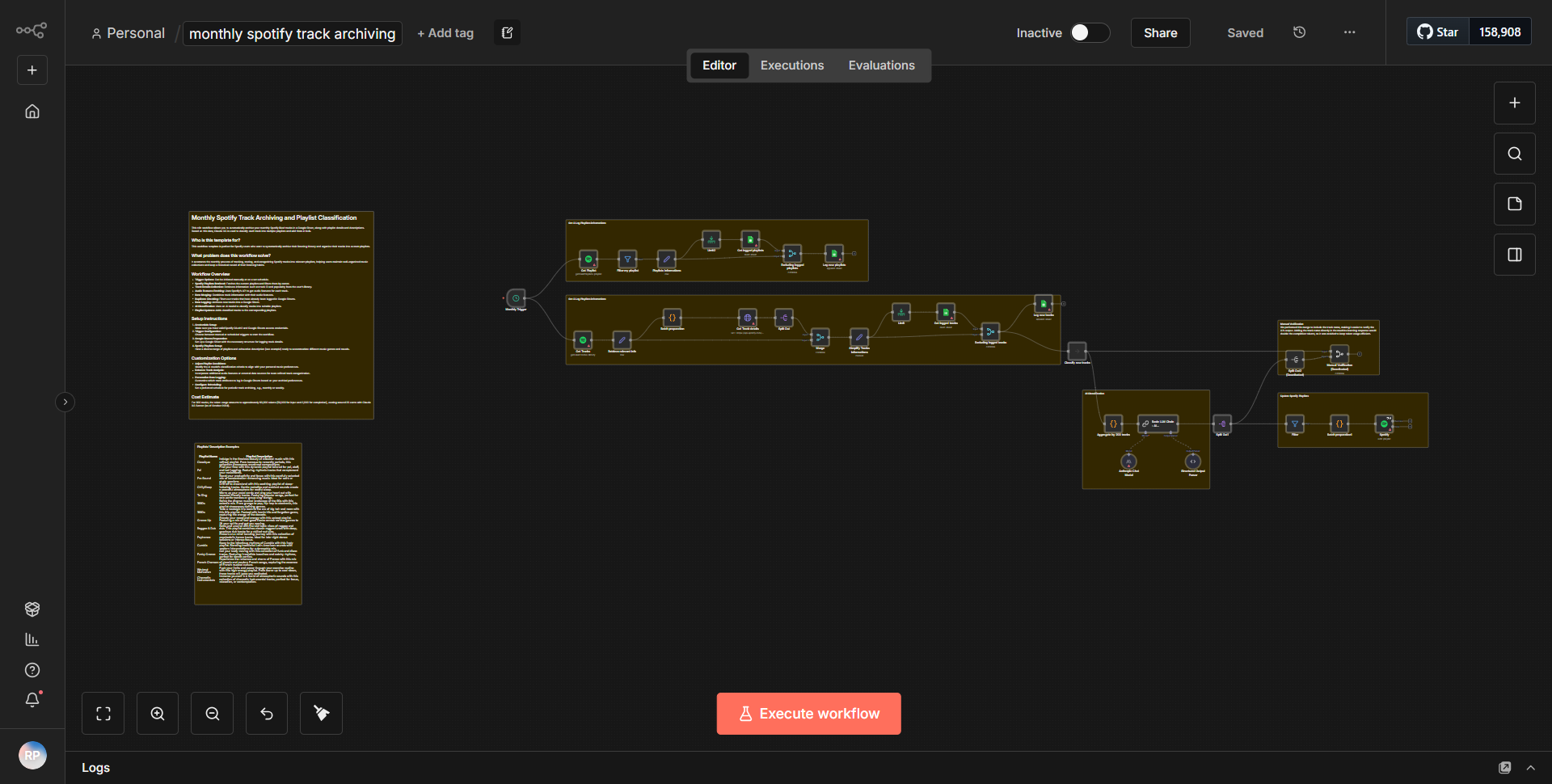
The "Monthly Archiving of Spotify Tracks" workflow is designed to automate the organization and categorization of Spotify songs into playlists on a monthly basis. The workflow begins with a scheduled trigger that activates at the start of each month. This trigger initiates the process by retrieving the user's Spotify tracks from the previous month.
1. Trigger Node:
The workflow starts with a Cron node configured to run monthly. This node sets the schedule for the entire workflow.
2. Spotify Node (Get Tracks):
Following the trigger, a Spotify node is used to fetch the user's saved tracks. This node is configured to pull tracks that were added within the last month, ensuring that only the most recent songs are considered for archiving.
3. Function Node:
After retrieving the tracks, a Function node processes the data. This node is responsible for categorizing the tracks based on specific criteria, such as genre or mood. The output of this node is a structured list of tracks, organized for easier management.
4. Spotify Node (Create Playlist):
Next, another Spotify node is utilized to create a new playlist. This playlist is named according to the current month and year, providing a clear and organized way to archive the tracks.
5. Spotify Node (Add Tracks to Playlist):
Finally, the workflow includes another Spotify node that adds the categorized tracks to the newly created playlist. This step ensures that all relevant songs are compiled into one location, making it easy for the user to access their monthly music selections.
The entire process is seamless, with data flowing from one node to the next, resulting in an organized monthly playlist of Spotify tracks.
Key Features
- Automated Monthly Archiving:
The workflow automatically runs at the beginning of each month, eliminating the need for manual intervention.
- Dynamic Playlist Creation:
Each month, a new playlist is created with a unique name, allowing users to easily identify and access their archived tracks.
- Categorization of Tracks:
The workflow categorizes tracks based on predefined criteria, enhancing the organization of music and making it easier to find specific songs later.
- Integration with Spotify:
The workflow fully utilizes Spotify's API to manage user tracks and playlists, ensuring a smooth user experience.
- Customizable Functionality:
Users can modify the Function node to change the categorization criteria, allowing for personalized organization based on individual preferences.
Tools Integration
- n8n:
The workflow is built within the n8n automation platform, which allows for the creation of complex workflows using various nodes.
- Spotify API:
The workflow integrates with the Spotify API through multiple nodes:
- Spotify Node (Get Tracks):
Retrieves saved tracks from the user's Spotify account.
- Spotify Node (Create Playlist):
Creates a new playlist in the user's Spotify account.
- Spotify Node (Add Tracks to Playlist):
Adds tracks to the newly created playlist.
- Cron Node:
Used to schedule the workflow to run monthly.
API Keys Required
To successfully run this workflow, the following API key and authentication details are required:
- Spotify API Key:
Users must provide their Spotify API credentials to authenticate the workflow and allow access to their Spotify account.
- OAuth Token:
An OAuth token is necessary to authorize the workflow to perform actions on behalf of the user, such as fetching tracks and creating playlists.
No additional API keys or credentials are needed beyond those required for Spotify integration.