Examine Potentially Malicious Email Content Using ChatGPT Vision
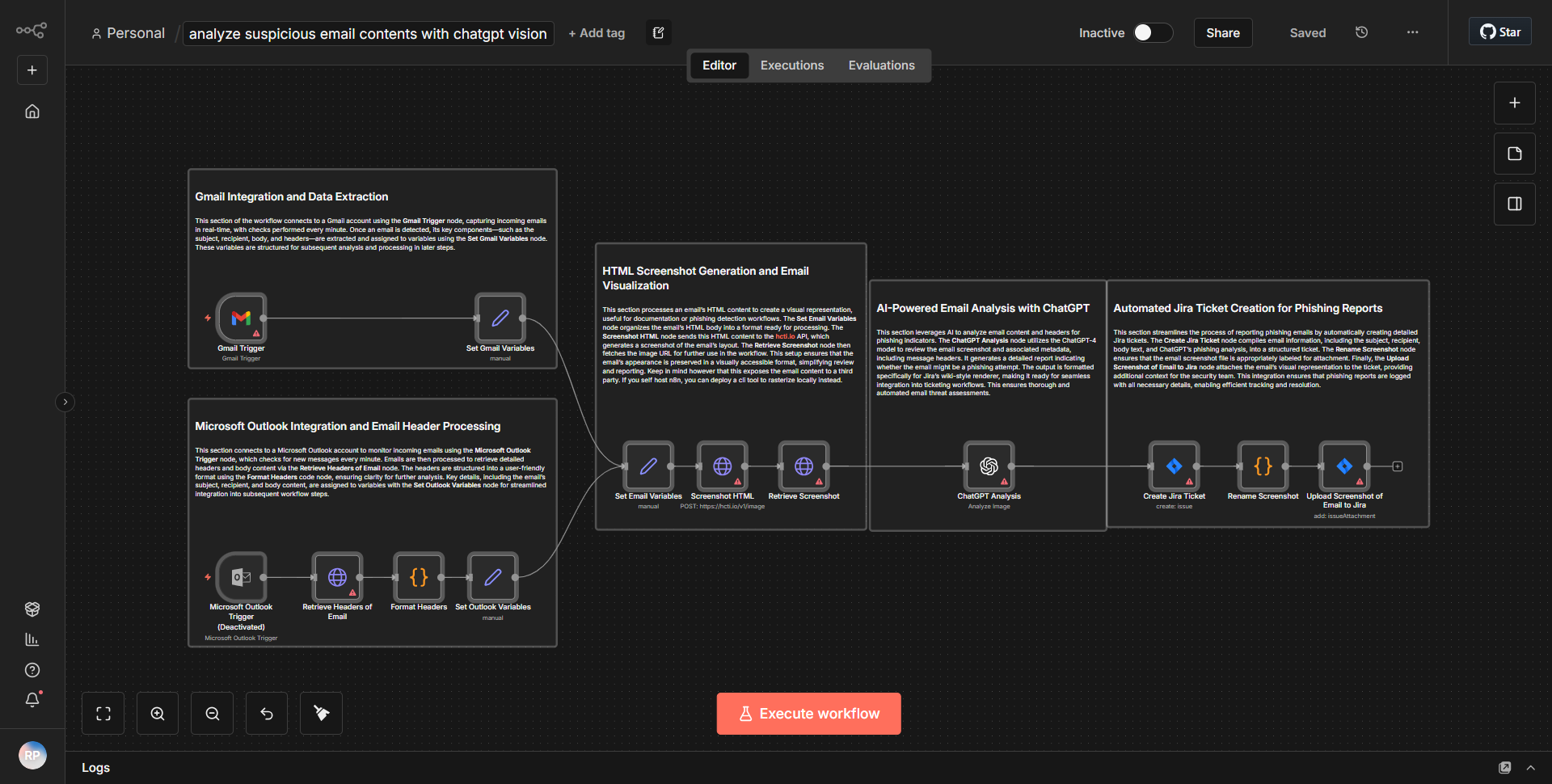
Employs text and image assessment (ChatGPT Vision) to assess potentially harmful emails. Captures screenshots, examines headers and content, and identifies phishing attempts.
How it works
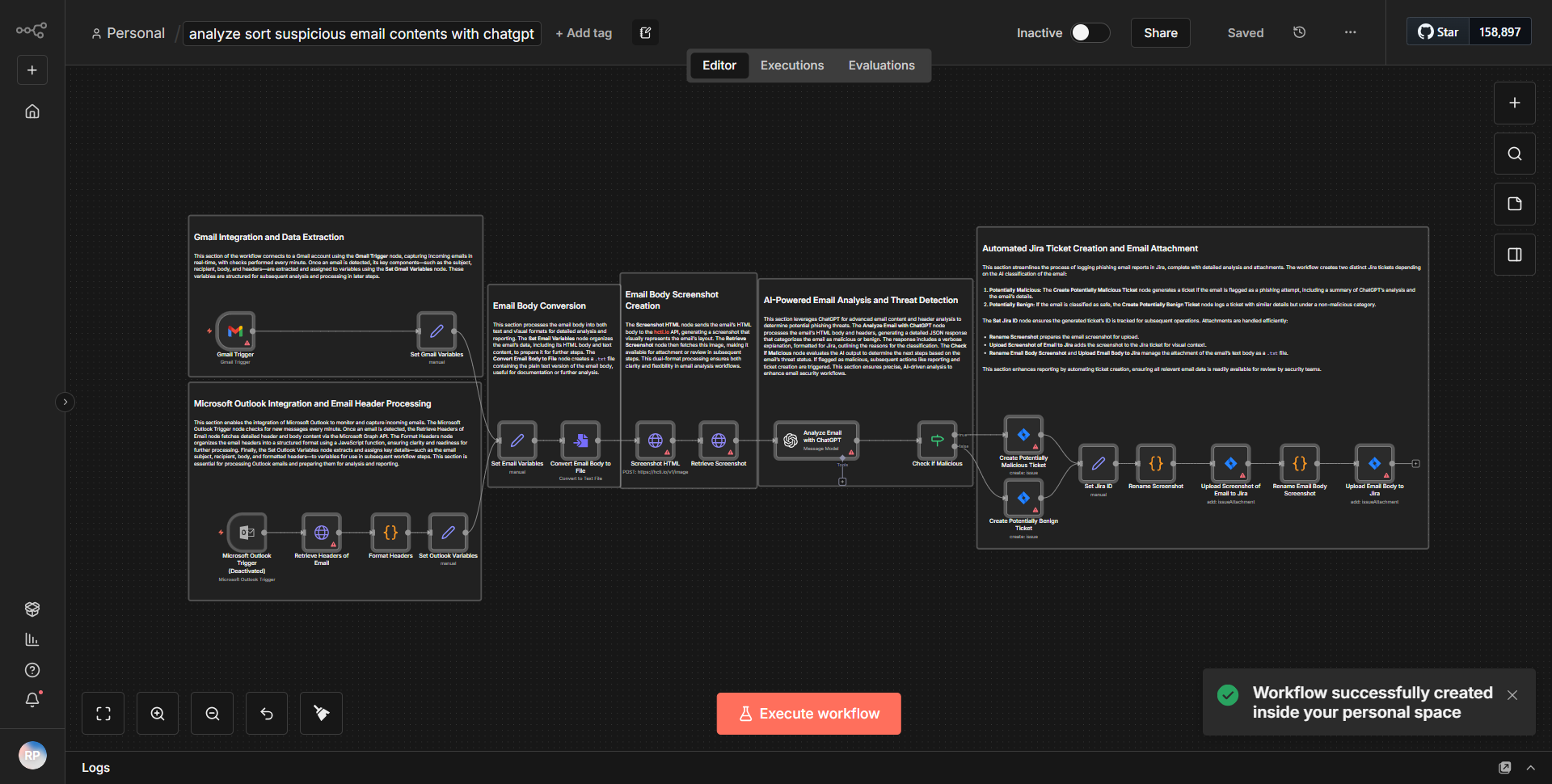
The workflow titled "Examine Potentially Malicious Email Content Using ChatGPT Vision" is designed to analyze suspicious emails by leveraging both text and image assessment capabilities of ChatGPT Vision. The workflow begins with an email trigger that activates when a new email is received. The first node captures the email content, including headers and body text. This information is then processed through a series of nodes that perform specific tasks.
1. Email Trigger:
The workflow starts with an email trigger that listens for incoming emails. Once an email is detected, it captures relevant details such as sender, subject, and body content.
2. Extract Email Headers:
The next node extracts the email headers for further analysis. This step is crucial for identifying potential spoofing or phishing attempts based on the sender's information.
3. Capture Screenshot:
A screenshot of the email is taken to visually assess any suspicious elements that may not be evident in the text alone. This image will be analyzed in subsequent steps.
4. Text Analysis with ChatGPT Vision:
The body text of the email is sent to the ChatGPT Vision node, which evaluates the content for potentially harmful phrases, links, or attachments that could indicate phishing.
5. Image Analysis with ChatGPT Vision:
Simultaneously, the captured screenshot is sent to another ChatGPT Vision node for image analysis. This node checks for visual cues that may suggest malicious intent, such as misleading logos or suspicious links.
6. Decision Node:
After both text and image analyses are complete, a decision node evaluates the results. If either analysis indicates a potential threat, the workflow triggers an alert or takes predefined action, such as notifying the user or blocking the email.
7. Final Output:
The workflow concludes by logging the results of the analyses and any actions taken, ensuring that all relevant information is recorded for future reference.
Key Features
- Comprehensive Email Analysis:
The workflow combines both text and image assessments, providing a thorough evaluation of potentially harmful emails.
- Real-time Detection:
By utilizing an email trigger, the workflow can respond immediately to incoming threats, enhancing security measures.
- Phishing Identification:
The integration of ChatGPT Vision allows for advanced detection of phishing attempts through both textual and visual cues.
- Automated Alerts:
The decision node enables automated responses to suspicious emails, improving efficiency in threat management.
- Logging and Reporting:
The workflow logs all actions and findings, facilitating easy review and analysis of past incidents.
Tools Integration
- n8n Email Trigger Node:
Captures incoming emails and their details.
- n8n Function Node:
Used for extracting email headers and processing data.
- ChatGPT Vision Node:
Utilized for both text and image analysis, assessing the content and visual elements of the email.
- n8n Decision Node:
Evaluates the results of the analyses to determine the next steps based on identified threats.
- n8n Logging Node:
Records the outcomes and actions taken throughout the workflow.
API Keys Required
No API keys or authentication credentials are required for this workflow to function. All nodes operate within the n8n environment without the need for external API integrations.