AI chatbot agent
Fundamental AI conversation assistant.
How it works
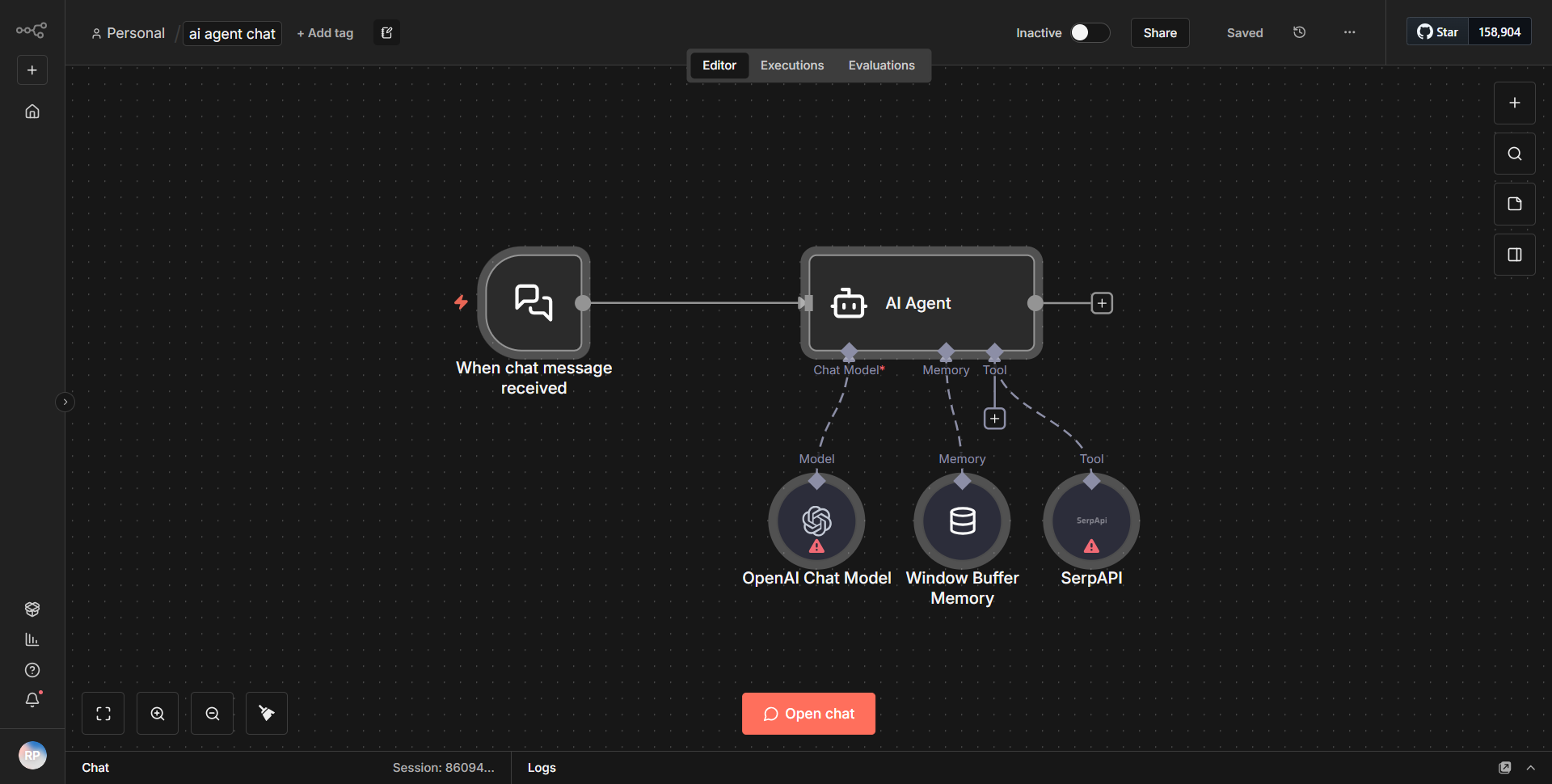
The "AI chatbot agent" workflow is designed to facilitate conversations with an AI-powered assistant. The workflow begins with a trigger node that listens for incoming messages. Once a message is received, the workflow processes this input through a series of nodes that handle different tasks.
1. Webhook Node:
The workflow starts with a Webhook node that receives incoming HTTP requests. This node captures user messages sent to the chatbot.
2. Function Node:
After the Webhook node, the data is passed to a Function node. This node is responsible for formatting the incoming message and preparing it for further processing. It may include parsing the message content and structuring it in a way that the AI model can understand.
3. OpenAI Node:
The formatted message is then sent to an OpenAI node, which interfaces with the OpenAI API. This node sends the user's message to the AI model and retrieves a response. The response from the AI is typically a text output that represents the chatbot's reply.
4. Response Node:
Finally, the output from the OpenAI node is sent to a Response node. This node sends the AI's reply back to the user through the original Webhook request, completing the conversation loop.
Throughout this process, data flows seamlessly from one node to another, ensuring that user inputs are transformed into meaningful responses by the AI model.
Key Features
- Real-time Interaction:
The workflow allows for real-time communication with the AI chatbot, enabling users to receive instant responses to their queries.
- Natural Language Processing:
By integrating with the OpenAI API, the workflow leverages advanced natural language processing capabilities, allowing for more human-like interactions.
- Customizable Responses:
The Function node enables customization of the input data, allowing developers to manipulate and format user messages before they reach the AI model.
- Scalability:
The use of a Webhook node allows the workflow to handle multiple incoming requests simultaneously, making it scalable for various applications.
Tools Integration
- Webhook Node:
Used to receive incoming HTTP requests.
- Function Node:
Utilized for processing and formatting data.
- OpenAI Node:
Integrates with the OpenAI API to generate AI responses.
- Response Node:
Sends the AI-generated responses back to the user.
API Keys Required
To utilize this workflow, an API key for the OpenAI service is required. This key must be configured in the OpenAI node to authenticate requests to the OpenAI API. No additional API keys or authentication credentials are necessary for the Webhook or Response nodes.