Retrieve Airtable information using AI and Obsidian Notes
This workflow fetches information from Airtable through an AI agent and incorporates it into Obsidian Notes, facilitating effortless data retrieval and arrangement within Obsidian.
How it works
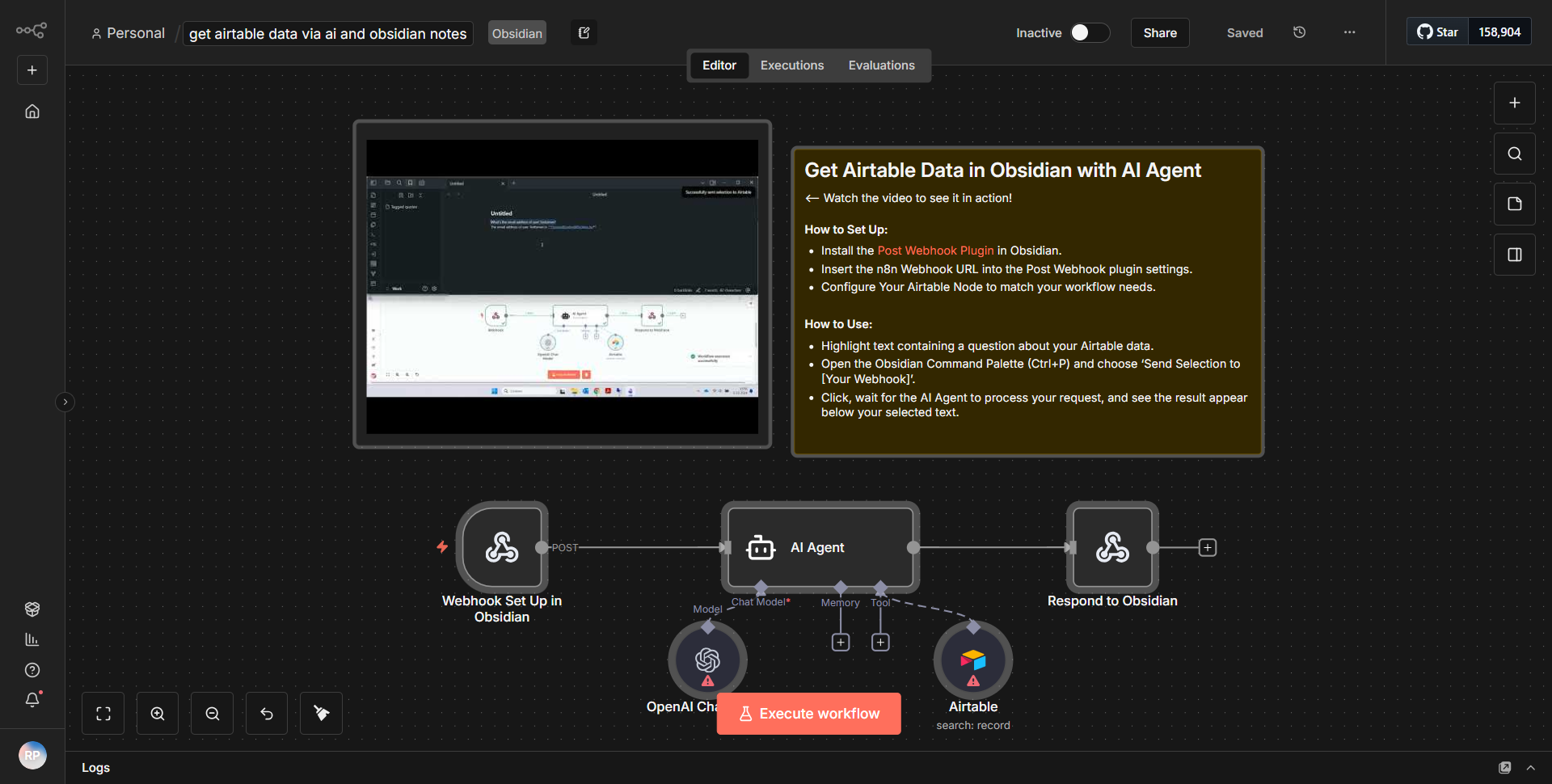
This workflow operates by integrating Airtable data retrieval through an AI agent and subsequently organizing that data into Obsidian Notes. The process begins with the
Airtable
node, which is configured to fetch specific records from a designated Airtable base. The node is set to filter the records based on predefined criteria, ensuring that only relevant data is retrieved.Once the data is fetched, it is passed to an
AI
node, which processes the information. This node utilizes an AI model to analyze and interpret the data from Airtable, generating insights or summaries as needed. The output from the AI node is then formatted appropriately for integration into Obsidian.The final step involves an
Obsidian Notes
node, which takes the processed information and creates or updates notes within the Obsidian application. This node is configured to ensure that the data is organized in a way that is easily accessible and structured within the user's Obsidian vault. The workflow effectively automates the data retrieval and organization process, enhancing productivity and data management.Key Features
1. Automated Data Retrieval:
The workflow automates the process of fetching data from Airtable, reducing manual effort and time spent on data collection.
2. AI Processing:
By incorporating an AI node, the workflow can analyze and summarize data, providing enhanced insights that are more actionable.
3. Seamless Integration with Obsidian:
The workflow ensures that the data is not only retrieved but also organized within Obsidian Notes, allowing for efficient note-taking and information management.
4. Customizable Filters:
Users can customize the criteria for data retrieval from Airtable, ensuring that only the most relevant information is processed and stored.
5. User-Friendly Output:
The final output is formatted for easy readability and organization in Obsidian, making it user-friendly for individuals who rely on this tool for note-taking and knowledge management.
Tools Integration
- Airtable:
Utilized for data storage and retrieval. The workflow employs the Airtable node to connect to a specific base and fetch records.
- AI Node:
This node processes the data retrieved from Airtable, applying AI algorithms to generate insights or summaries.
- Obsidian Notes:
The workflow integrates with Obsidian through its dedicated node, allowing for the creation and updating of notes based on the processed data.
API Keys Required
- Airtable API Key:
Required for authenticating and accessing the Airtable base.
- AI Service API Key:
If the AI node utilizes an external AI service, an API key may be necessary for authentication.
- Obsidian Configuration:
While specific API keys may not be required for Obsidian, proper configuration and access to the Obsidian vault are essential for the workflow to function correctly.