Monitoring Sentiment Analysis for Support Tickets via Linear and Slack
Monitors sentiment regarding support matters by connecting with Linear and Slack, conducting sentiment analysis through OpenAI on comments from Linear, and alerting appropriate Slack channels.
How it works
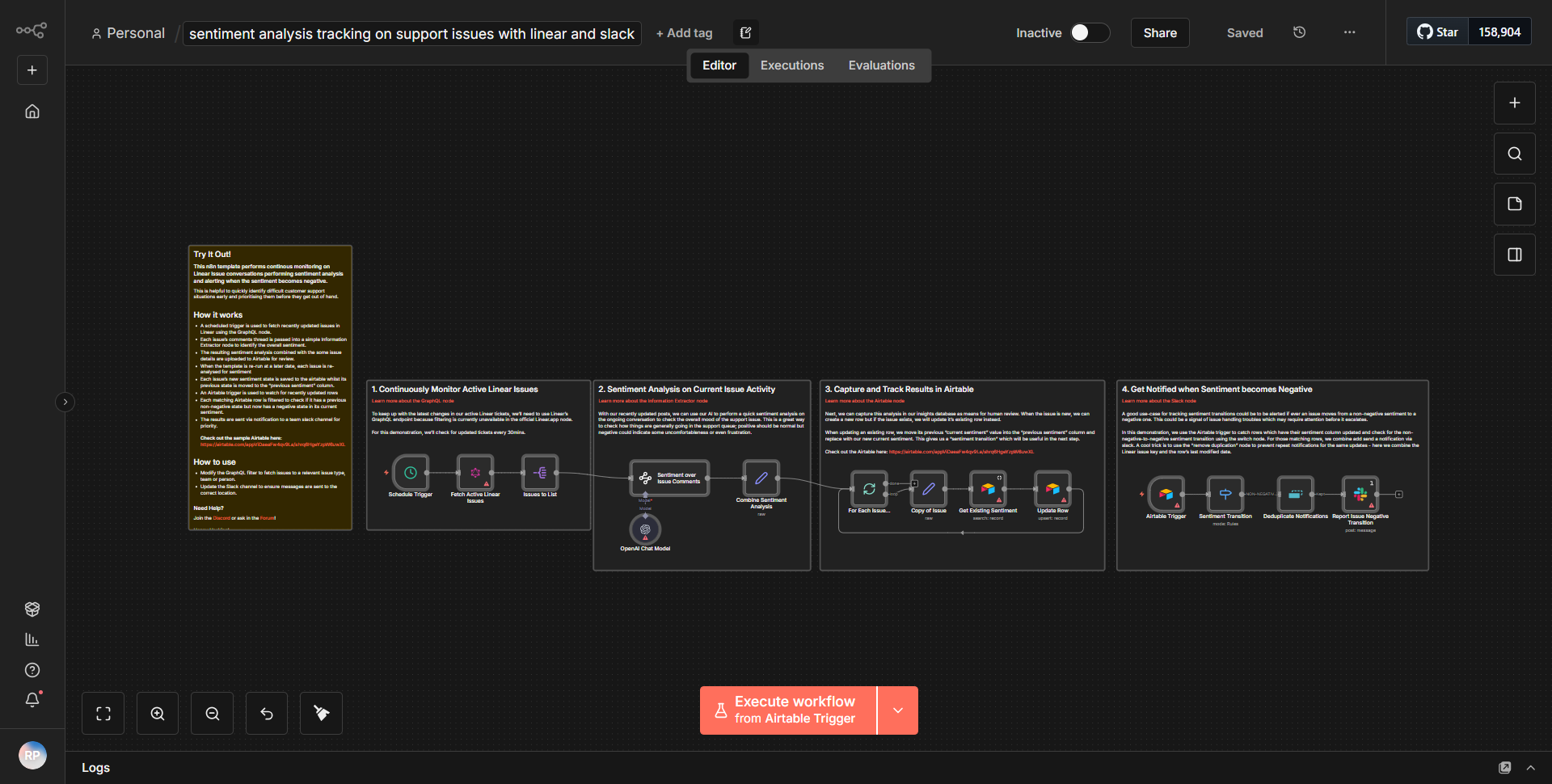
The workflow titled "Monitoring Sentiment Analysis for Support Tickets via Linear and Slack" operates by integrating multiple services to analyze and monitor sentiment in support tickets. The process begins with the Linear node, which is configured to trigger on new comments made on support tickets. When a comment is detected, the workflow captures the relevant data, including the comment text and associated ticket information.
Next, the workflow utilizes the OpenAI node to perform sentiment analysis on the extracted comment text. This node sends the comment to OpenAI's API, which processes the text and returns a sentiment score along with a sentiment label (e.g., positive, negative, neutral). The output from the OpenAI node is then formatted to prepare it for notification.
Following the sentiment analysis, the workflow employs a conditional node to evaluate the sentiment score. If the sentiment is determined to be negative, the workflow proceeds to send an alert to a designated Slack channel using the Slack node. This notification includes details about the comment, the sentiment analysis results, and a link to the original support ticket in Linear. The workflow effectively creates a feedback loop, ensuring that support teams are promptly informed of any negative sentiments expressed in customer comments.
Key Features
1. Real-time Monitoring:
The workflow continuously monitors comments on support tickets in Linear, ensuring that sentiment analysis is conducted as soon as new comments are made.
2. Sentiment Analysis:
By leveraging OpenAI’s capabilities, the workflow provides accurate sentiment analysis, categorizing comments into positive, negative, or neutral sentiments.
3. Automated Alerts:
Negative sentiments trigger automated notifications to Slack channels, allowing support teams to address issues proactively and improve customer satisfaction.
4. Integration with Linear and Slack:
The workflow seamlessly connects Linear for ticket management and Slack for team communication, enhancing collaboration and response times.
5. Customizable Conditions:
The conditional logic allows for flexibility in how sentiment analysis results are handled, enabling teams to adjust thresholds or actions based on their specific needs.
Tools Integration
The workflow integrates the following tools and services:
- Linear:
Used to monitor support tickets and comments.
- OpenAI:
Utilized for performing sentiment analysis on the comments extracted from Linear.
- Slack:
Employed to send notifications to specific channels based on the sentiment analysis results.
The specific n8n nodes used in this workflow include:
• Linear Node (for triggering on new comments)
• OpenAI Node (for sentiment analysis)
• Slack Node (for sending alerts)
API Keys Required
To successfully operate this workflow, the following API keys and credentials are required:
1. Linear API Key:
Needed to authenticate and access Linear's API for monitoring support tickets.
2. OpenAI API Key:
Required to authenticate requests to OpenAI for performing sentiment analysis.
3. Slack API Token:
Necessary for sending messages to Slack channels.
These credentials must be configured in the respective nodes within the n8n workflow to ensure proper functionality.