AI-Driven Data Surveillance Utilizing OpenAI, Google Sheets, Jina AI, and Slack
Tracks RSS feeds, utilizes OpenAI and Jina AI to summarize articles, categorizes them, and dispatches formatted alerts to Slack, facilitating AI-driven information monitoring.
How it works
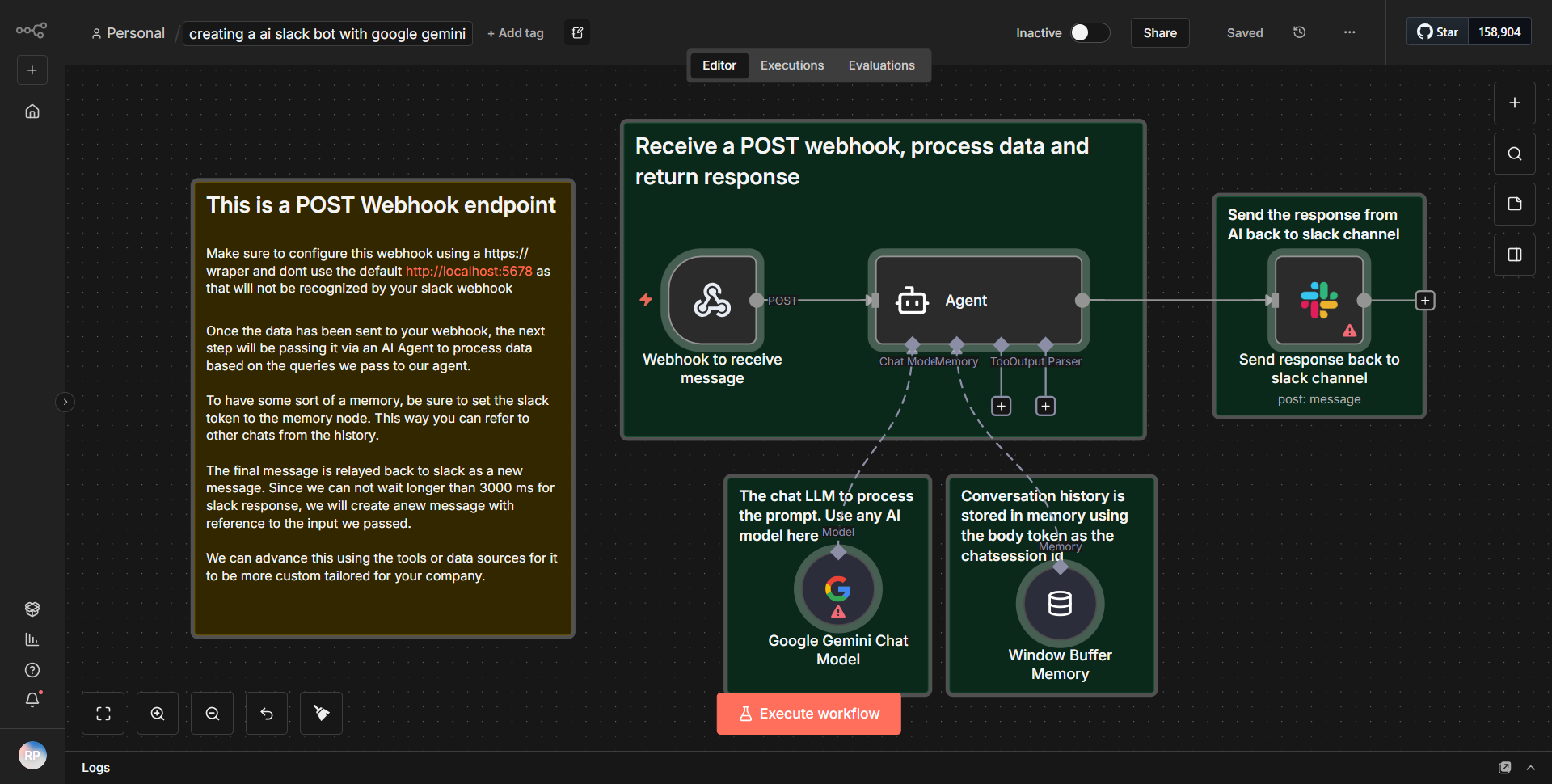
The workflow begins by monitoring RSS feeds for new articles. This is achieved using the RSS Feed Read node, which periodically checks specified feeds for updates. When a new article is detected, the workflow triggers the next steps. The article's content is then sent to the OpenAI node, where it utilizes the OpenAI API to generate a summary of the article. This summary is processed to extract key information and insights.
Following the summarization, the workflow employs the Jina AI node to categorize the summarized content. Jina AI is leveraged to analyze the text and assign relevant categories based on its content, enhancing the organization of the information. Once categorized, the workflow formats the summary and categories into a structured message.
The final step involves sending this formatted alert to a designated Slack channel using the Slack node. This integration allows for real-time notifications, ensuring that users are promptly informed about new articles and their summaries. The entire process is automated, enabling efficient monitoring and dissemination of information without manual intervention.
Key Features
1. Automated RSS Monitoring:
The workflow continuously tracks specified RSS feeds, ensuring that no new articles are missed.
2. AI-Powered Summarization:
By utilizing OpenAI, the workflow generates concise summaries of articles, making it easier for users to grasp essential information quickly.
3. Content Categorization:
Jina AI categorizes the summarized content, allowing for better organization and retrieval of information based on topics or themes.
4. Real-Time Alerts:
The integration with Slack facilitates immediate notifications, keeping team members updated on relevant articles as they are published.
5. Customizable Workflow:
Users can modify the RSS feeds, categories, and Slack channels according to their preferences, making the workflow adaptable to various needs.
Tools Integration
- RSS Feed Read Node:
Monitors specified RSS feeds for new articles.
- OpenAI Node:
Utilizes the OpenAI API for summarizing article content.
- Jina AI Node:
Categorizes the summarized content based on its themes and topics.
- Slack Node:
Sends formatted alerts to a specified Slack channel for real-time notifications.
API Keys Required
1. OpenAI API Key:
Required for accessing the OpenAI services for summarization.
2. Jina AI API Key:
Necessary for utilizing Jina AI's categorization capabilities.
3. Slack API Token:
Needed for sending messages to the designated Slack channel.
No additional API keys or credentials are required beyond those listed above for the workflow to function correctly.