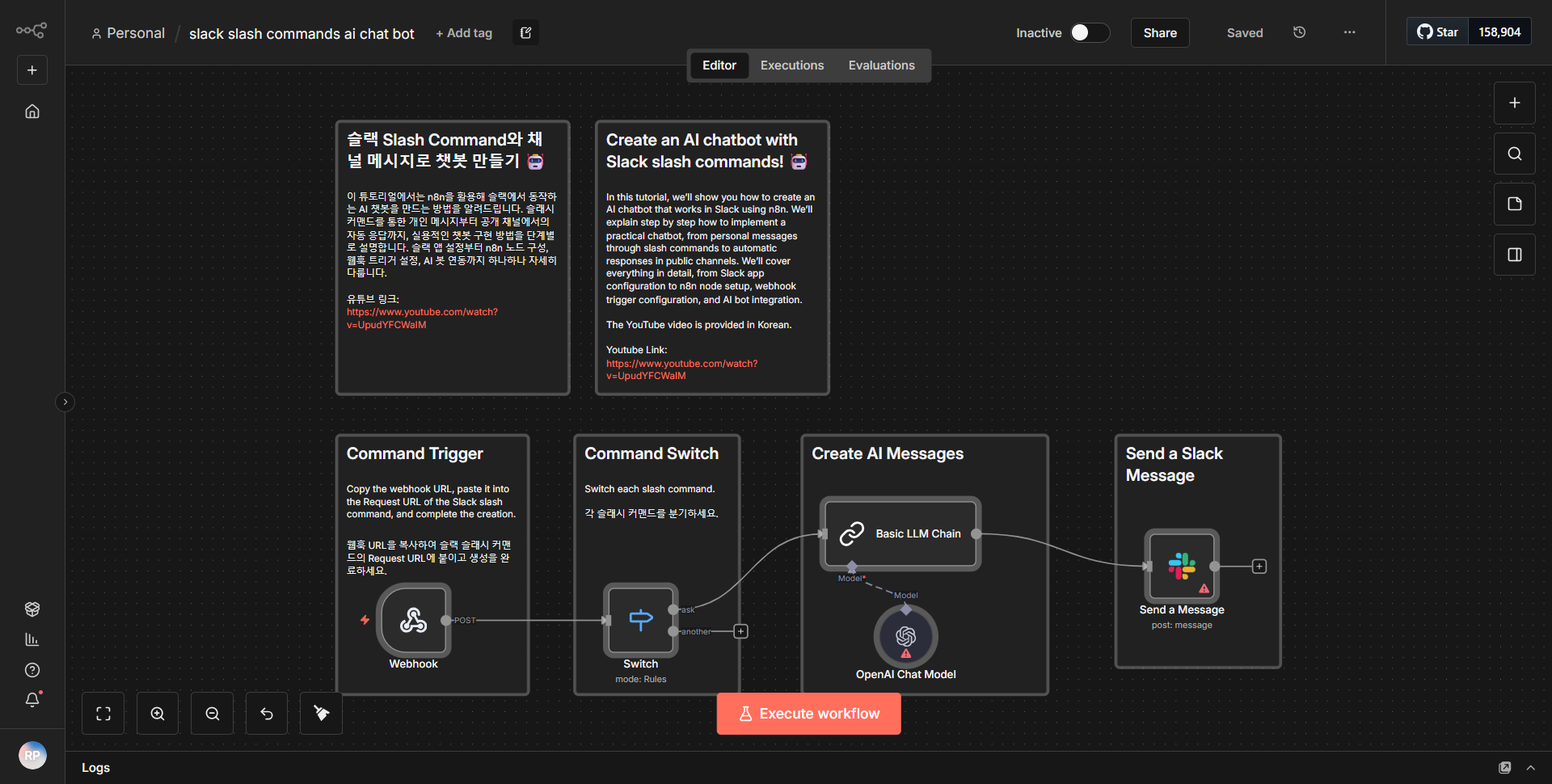
AI Chat Bot for Slack Slash Commands
Facilitates an AI chatbot that can be accessed through Slack slash commands, handling user inputs, engaging with an AI model, and providing responses directly in Slack.
How it works
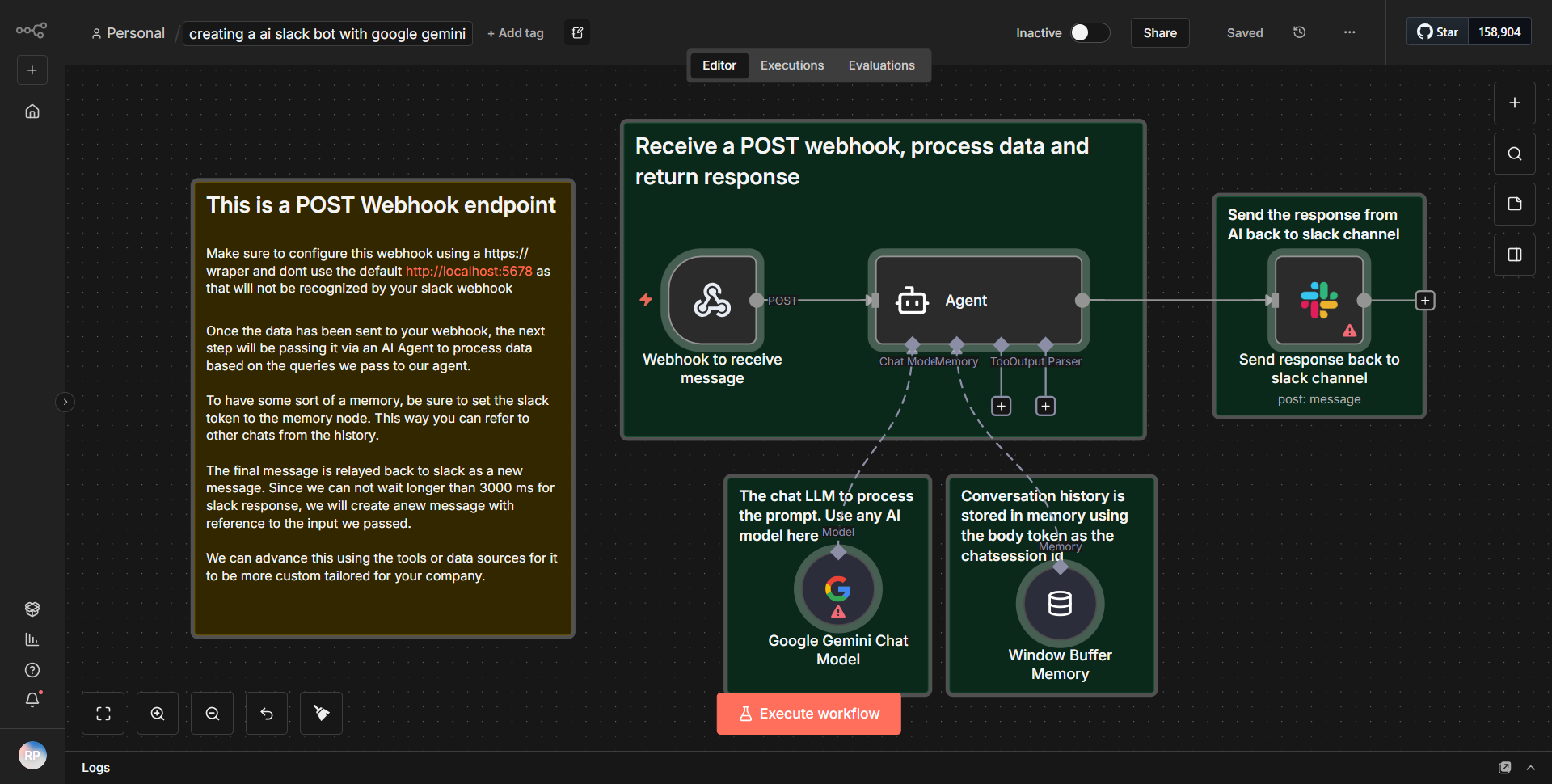
The workflow titled "AI Chat Bot for Slack Slash Commands" is designed to facilitate interactions between users in Slack and an AI model through slash commands. The workflow begins with a Slack Trigger node that listens for specific slash commands issued by users within a Slack workspace. When a command is detected, the workflow captures the user input, including the command text and any additional parameters provided by the user.
Once the input is received, the workflow proceeds to a Function node that processes the command and formats the input appropriately for the AI model. This node is crucial as it prepares the data for the next step, ensuring that the AI can understand and respond effectively to the user's request.
Following the Function node, the workflow utilizes an HTTP Request node to send the formatted input to an external AI service, such as OpenAI's API. This node is configured to handle the API call, including setting the necessary headers and body content to communicate with the AI model. The response from the AI service is then captured by the workflow.
After receiving the response from the AI model, another Function node is employed to extract the relevant information from the AI's reply. This processing step ensures that only the necessary content is sent back to the user in Slack.
Finally, the workflow concludes with a Slack node that sends the AI's response back to the original user in the Slack channel where the command was issued. This seamless integration allows users to interact with the AI chatbot directly within their Slack environment, providing a smooth and efficient user experience.
Key Features
1. Real-time Interaction:
Users can engage with the AI chatbot in real-time through Slack slash commands, allowing for immediate responses to queries.
2. Customizable Commands:
The workflow can be tailored to recognize various slash commands, making it adaptable to different use cases and user needs.
3. AI Integration:
By leveraging an external AI service, the chatbot can provide intelligent and context-aware responses, enhancing user engagement.
4. Data Processing:
The use of Function nodes for data formatting and response extraction ensures that the interaction is both efficient and effective, optimizing the communication between Slack and the AI model.
5. User-Friendly:
The workflow's design prioritizes user experience, enabling straightforward interactions without requiring users to leave the Slack platform.
Tools Integration
The workflow integrates the following tools and services:
- Slack:
Utilized for receiving user commands and sending responses back to users.
• Nodes used: Slack Trigger, Slack node.
- HTTP Request:
Used to communicate with the external AI service, sending user inputs and receiving AI-generated responses.
• Node used: HTTP Request.
- Function:
Employed for processing data, including formatting user inputs for the AI model and extracting relevant information from the AI's responses.
• Nodes used: Function (two instances).
API Keys Required
To successfully run this workflow, the following API keys and credentials are required:
1. Slack API Token:
Necessary for the Slack Trigger and Slack node to authenticate and interact with the Slack workspace.
2. AI Service API Key:
Required for the HTTP Request node to authenticate and access the external AI service (e.g., OpenAI).
If these API keys are not configured, the workflow will not function as intended.