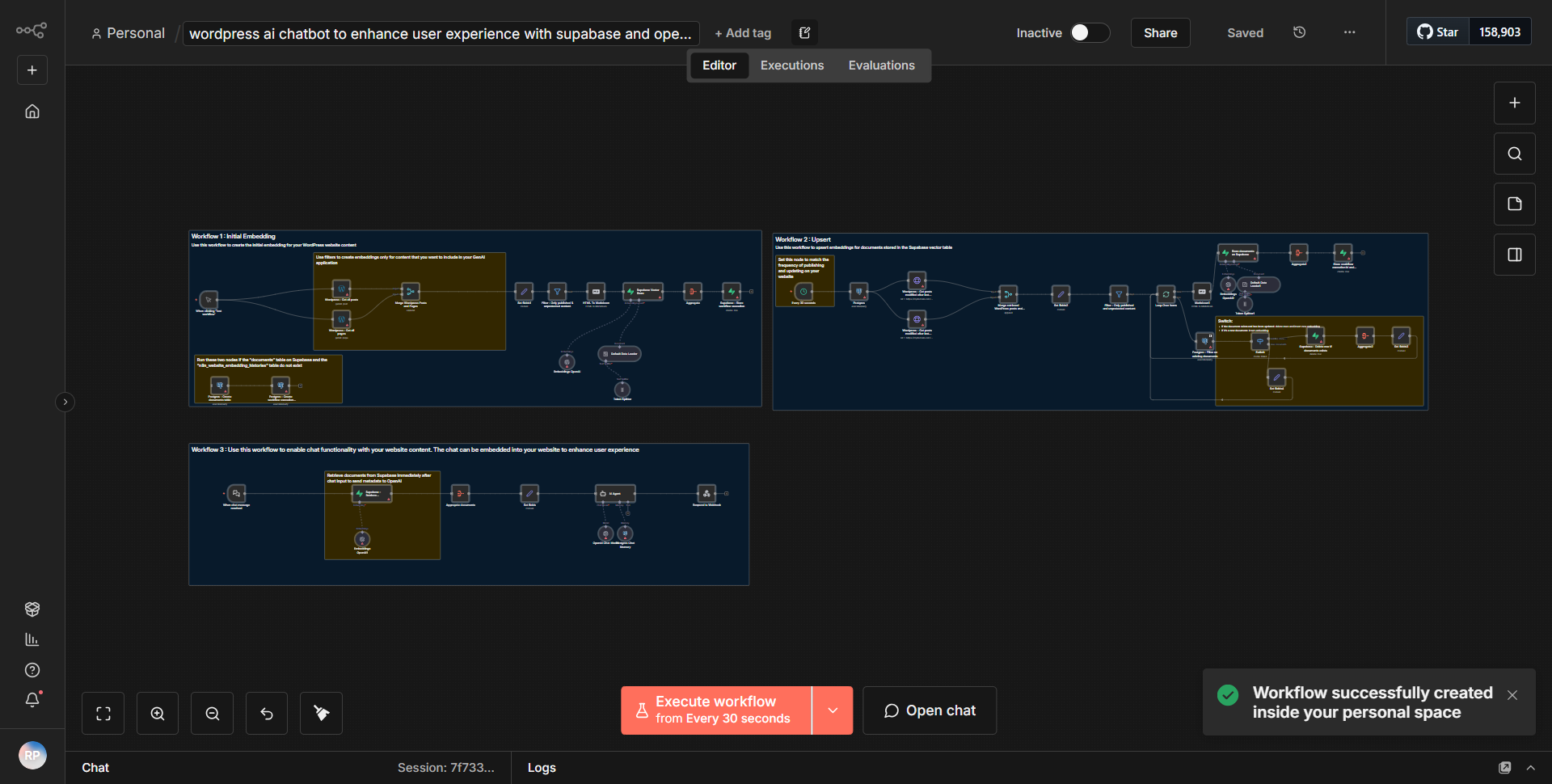
WordPress - AI Conversational Agent to improve user interaction - utilizing Supabase and OpenAI
This workflow connects an AI-driven chatbot to WordPress through Supabase and OpenAI, aiming to improve user engagement by facilitating smart interactions.
How it works
This workflow operates by integrating an AI-driven conversational agent with a WordPress site, utilizing Supabase as a backend database and OpenAI for natural language processing. The process begins when a user interacts with the chatbot on the WordPress site.
1. Trigger Node:
The workflow starts with a webhook that listens for incoming requests from the WordPress site. This webhook captures user input, such as questions or comments directed at the chatbot.
2. Supabase Node:
After receiving the user input, the workflow connects to Supabase to store or retrieve relevant data. This node is crucial for maintaining context and history of interactions, allowing the chatbot to provide more personalized responses based on previous user interactions.
3. OpenAI Node:
Once the necessary data is fetched from Supabase, the workflow sends the user input to the OpenAI node. This node processes the input using OpenAI's language model, generating a response that is contextually relevant and engaging.
4. Response Handling:
The response from OpenAI is then sent back through the workflow, where it can be formatted or modified if necessary.
5. Final Output:
Finally, the processed response is sent back to the user through the webhook, completing the interaction. This seamless flow ensures that users receive timely and intelligent responses, enhancing their experience on the WordPress site.
Key Features
- AI-Powered Responses:
The integration with OpenAI allows the chatbot to generate human-like responses, improving user engagement and satisfaction.
- Contextual Awareness:
By utilizing Supabase, the workflow can maintain a history of interactions, enabling the chatbot to provide contextually relevant answers based on previous conversations.
- Real-Time Interaction:
The use of webhooks enables real-time communication between the user and the chatbot, ensuring immediate responses and a smooth user experience.
- Customizable:
The workflow can be tailored to fit specific needs, allowing for adjustments in how data is handled or how responses are generated, making it versatile for different applications.
Tools Integration
- n8n Webhook Node:
Used to capture incoming user interactions from the WordPress site.
- Supabase Node:
Facilitates data storage and retrieval, allowing the chatbot to access user interaction history.
- OpenAI Node:
Processes user input and generates intelligent responses using AI language models.
API Keys Required
- OpenAI API Key:
Required for authenticating requests to the OpenAI service to generate responses.
- Supabase API Key:
Necessary for connecting to the Supabase database to store and retrieve user interaction data.
No additional API keys or authentication methods are required beyond those mentioned.