ToDiagram
Convert data into visual representations.
On
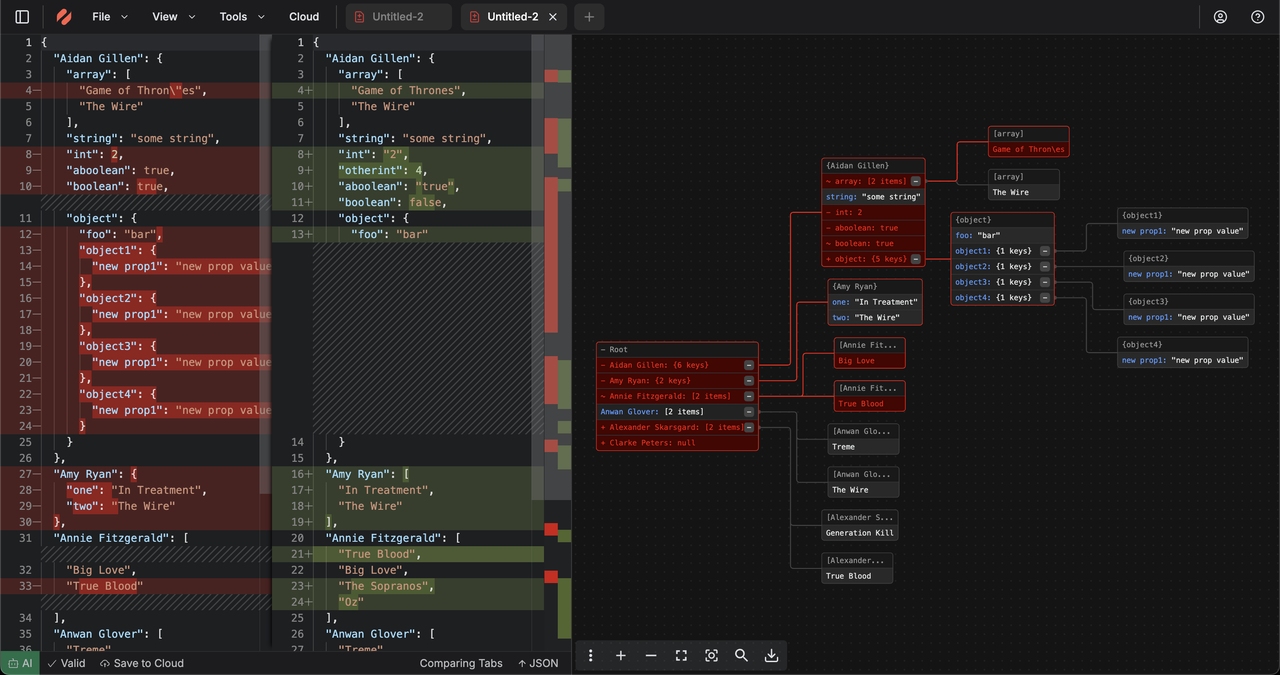
ToDiagram is a versatile tool designed to streamline the conversion of various data formats such as JSON, YAML, CSV, and XML into visual diagrams, enabling users to easily analyze and share complex information. The platform provides an intuitive interface that simplifies the process of transforming structured data into clear, understandable visuals. Users can seamlessly adjust their diagrams, enhancing their clarity and effectiveness, which is particularly useful for presentations or collaborative projects. Additionally, ToDiagram allows for the exported diagrams to be shared as images, making it convenient for users to integrate these visuals into reports or other documentation. One of the standout features of ToDiagram is its ability to handle multiple data formats, making it a one-stop solution for developers and data analysts alike. The tool supports a wide range of customization options, allowing users to tweak the appearance and structure of their diagrams to suit specific needs or preferences. This flexibility not only improves the usability of the diagrams but also enhances the overall communication of data insights. With its focus on usability and efficiency, ToDiagram stands out as an essential tool for anyone needing to transform raw data into actionable visual representations.
Tool Benefits
ToDiagram allows users to create diagrams quickly and intuitively, enhancing productivity by streamlining the design process.
The tool offers a collaborative environment where team members can work together in real-time, improving communication and project outcomes.
With a wide range of templates and shapes available, ToDiagram enables users to easily visualize complex concepts and data.
The platform supports integration with various applications, allowing for seamless workflows and better project management.
ToDiagram's user-friendly interface ensures that users of all skill levels can create professional-quality diagrams without extensive training.