Swifty Stats
App Store Connect insights right in your menu bar!
On
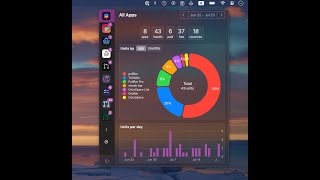
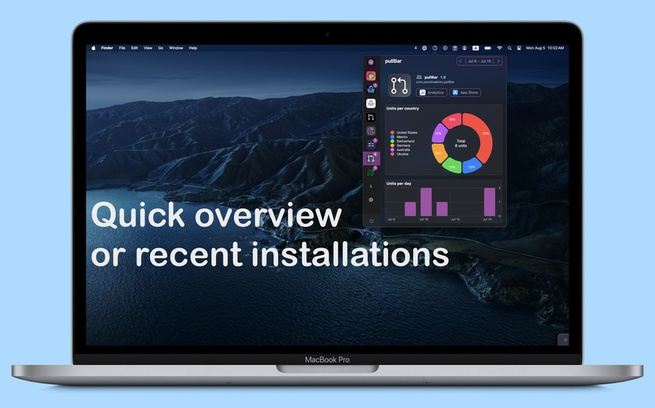
SwiftyStats is a macOS menu bar application specifically designed for independent Apple developers, providing a streamlined solution to monitor app download metrics from the App Store. This tool offers a user-friendly interface that allows developers to quickly access key performance indicators without navigating through complex dashboards. By showing real-time download statistics directly from the menu bar, SwiftyStats empowers developers to stay informed about their app's performance and make timely decisions based on actionable insights. Additionally, it supports multiple apps, giving developers a consolidated view of their portfolio’s performance. The application is built with a focus on simplicity and efficiency, making it easy for developers to install and configure. Users can customize their experience by selecting which metrics to display, ensuring that only the most relevant data is showcased. SwiftyStats also emphasizes privacy, as it does not require any personal information to function, allowing developers to monitor their app performance securely. Overall, SwiftyStats stands out as a practical tool that enhances productivity by delivering essential app metrics at a glance, thereby enabling developers to focus more on innovation rather than data collection.
Tool Benefits
Swifty Stats provides a user-friendly interface that allows developers to easily monitor and visualize their app’s performance metrics.
The tool enables real-time data tracking, which helps in identifying issues and optimizing the app during the development process.
Swifty Stats offers customizable statistics views, allowing users to tailor the information displayed according to their specific needs.
The application is lightweight and runs in the menu bar, ensuring that it does not interrupt the workflow while still providing essential performance insights.
With Swifty Stats, developers can efficiently analyze usage patterns and app behavior, leading to more informed decision-making for future updates.