About
CSS Diner is an engaging interactive game that provides a fun and educational way to learn about CSS selectors, a fundamental part of web development. In the game environment, players are presented with a virtual dining table filled with various items, such as plates, cutlery, and glasses. The challenge is to use CSS knowledge to select these elements according to the instructions provided in each level. As players progress, they face increasingly complex challenges, helping them develop essential CSS skills while having fun. The game mechanics are designed to stimulate curiosity and creativity, allowing participants to experiment with different selectors and understand how they affect the style and presentation of a web page. In addition to being a fun tool, CSS Diner is highly educational, as it teaches fundamental concepts in a practical and visual way. Players learn to identify and apply selectors effectively, understanding the importance of each one for the design and structure of a website. The game also encourages logical thinking and problem-solving, as participants need to analyze each situation and consider how their choices will affect the final outcome. At the end of each challenge, players can instantly see the results of their actions, providing immediate feedback and reinforcing learning. Through a playful approach, CSS Diner transforms programming learning into an accessible and stimulating experience, ideal for beginners looking to enter the world of web development. To start your learning journey, simply access the game through the official website: https://flukeout.github.io.
How to Play
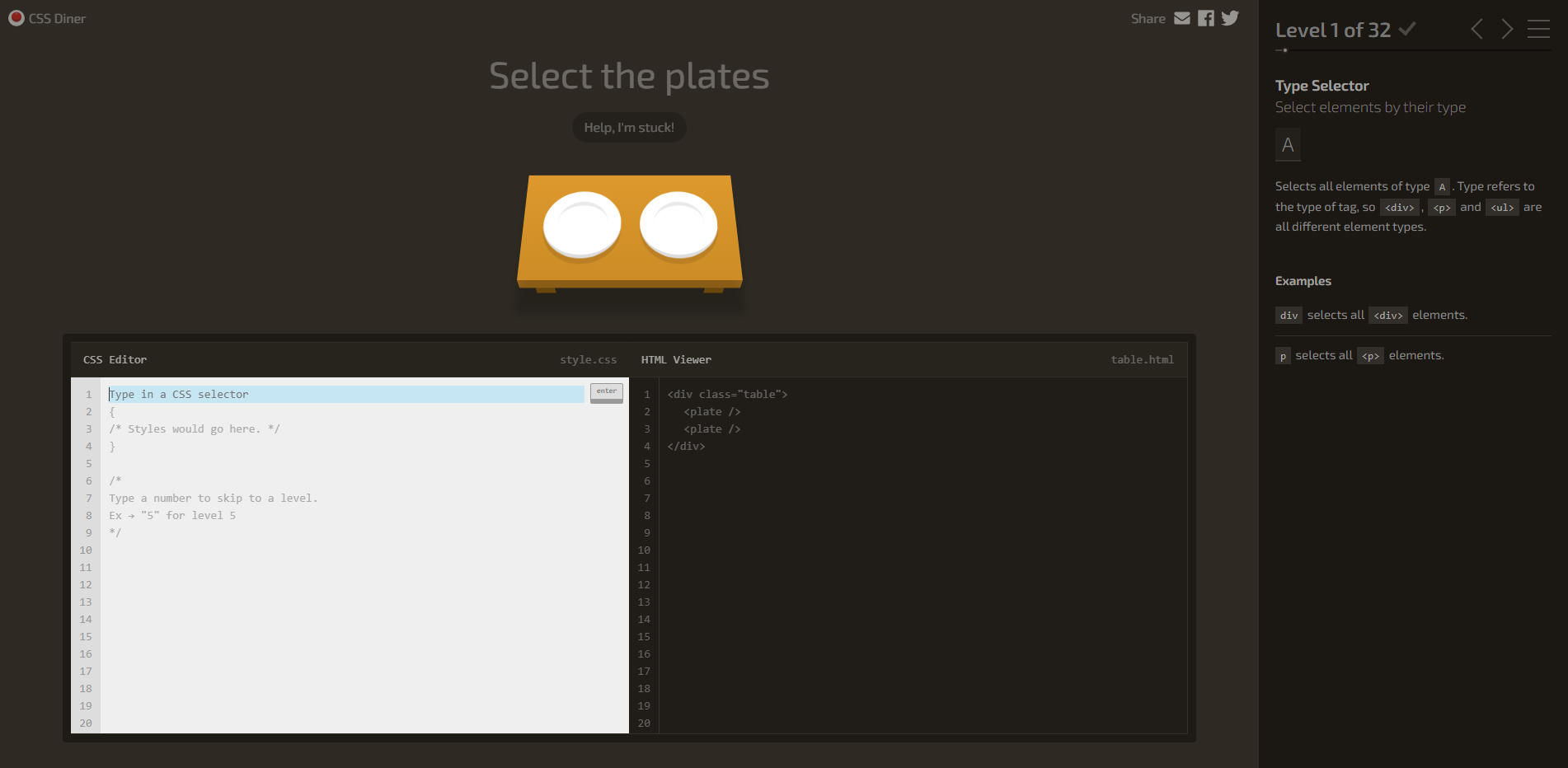
In the game CSS Diner, you will have the opportunity to dive into an interactive environment where learning CSS selectors becomes a fun and engaging experience. The virtual dining table features a variety of items, such as plates, cutlery, and glasses, each representing an element that you will need to select correctly to advance through the levels. The main objective is to use your knowledge of CSS selectors to identify and click on the elements that meet the criteria presented in each challenge. As you progress, the levels become progressively more challenging, requiring a greater understanding and application of selection rules. To play, start by choosing a level and carefully observe the instructions that appear on the screen. They will guide you on which elements you should select, using specific CSS selectors, such as classes, IDs, or type selectors. For example, you may be asked to select all the plates or only those that are on the left side of the table. Use your mouse to click on the correct items as soon as you are confident that you are following the instructions. If you select the right element, you will be rewarded with points and can advance to the next level, where new challenges and combinations of selectors await you. As you progress in the game, you not only enhance your CSS skills but also gain a deeper understanding of how selectors work in practice. The playful design and user-friendly interface make learning light and enjoyable, allowing you to practice hands-on while having fun. Each completed level brings a sense of accomplishment and motivates you to continue exploring the world of CSS. So, get ready for a feast of learning and enjoy becoming a true master of CSS selectors!
Screenshot